Bedside Nightstand Table Clock
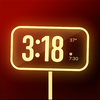

Bedside Nightstand Table Clock Summary
Bedside Nightstand Table Clock is a mobile Android app in Productivity by Rishu Kumar. Released in Jan 2026 (5 months ago). It has about 909+ installs Based on AppGoblin estimates, it reaches roughly 115 monthly active users . Store metadata: updated Jan 3, 2026.
Recent activity: 37 installs this week (133 over 4 weeks) showing steady growth View trends →
Store info: Last updated on Google Play on Jan 3, 2026 .
0★
Ratings: 0
Screenshots


App Description
Bedside clock with always-on screensaver, alarm and smart sleep tools.
Bedside Clock — simple, beautiful bedside clock and alarm use it for screensaver, wake gently, and as a low-distraction nightstand companion.
A clean, customizable night clock built for sleep: large, readable digits, easy alarm controls, portrait & landscape support, and a flash mode when you need quick light without fully waking up.
KEY FEATURES
• Screensaver & bedside clock
Choose from modern, analog, or minimal clock faces that stay clear and readable across devices.
• Deep customization
Customize clock styles, colors, backgrounds, and layout indicators to match your nightstand aesthetic.
• Portrait & landscape support
Works perfectly whether your phone is upright or laid flat.
• Easy alarms
Add, edit, and toggle alarms from a simple list. Supports one-time and repeating alarms.
• Flash mode (double-tap)
Instant soft white light using screen + flashlight — perfect for drinking water or finding something without blasting your eyes.
• Battery & alarm indicators
See battery level and next alarm at a glance.
• Low-distraction design
Big numbers, minimal text, and dark themes designed specifically for night use.
• Offline, lightweight and battery - optimized
No internet required. Battery-friendly and optimized for overnight use.
• Custom brightness control
Drag up and down to change brightness
• Sleep mode
Sleep mode to save power and prevent display burn-in
WHY BED CLOCK
Bed Clock is a focused nightstand utility — readable at a glance, easy to use in the dark, and flexible enough to feel personal. Whether you want a minimal digital clock, a modern numeric screensaver, or a classic analog look, Bed Clock delivers a polished bedside experience.
HOW TO USE
1. Open Screensaver and choose a clock face
2. Tap Customize to change colors, background, and layout
3. Go to Alarms to add or enable alarms
4. Double-tap the screen anytime to activate Flash mode
PERFECT FOR
• Bedside and nightstand use
• Reading in bed without harsh light
• Night-shift workers
• Minimalist clock lovers
• Anyone who wants better sleep habits
GET STARTED
Install Bed Clock, set your alarm, customize your clock, and try Flash mode tonight. Feedback is always welcome — improvements are made regularly.
Download now and turn your phone into a better bedside clock.