Black Wallpaper 4K HD Live


Black Wallpaper 4K HD Live Summary
Black Wallpaper 4K HD Live is a ad-supported Android app in Personalization by Fingerprint Animation. Released in Dec 2022 (3 years ago). It has about 1.6M+ installs and 15.1K ratings with a 4.22★ (good) average. Store metadata: updated May 20, 2026.
Recent activity: 2K installs this week (9K over 4 weeks) showing steady growth , and 5.00 new ratings this week View trends →
Store info: Last updated on Google Play on May 20, 2026 .
4.22★
Ratings: 15.1K
Screenshots

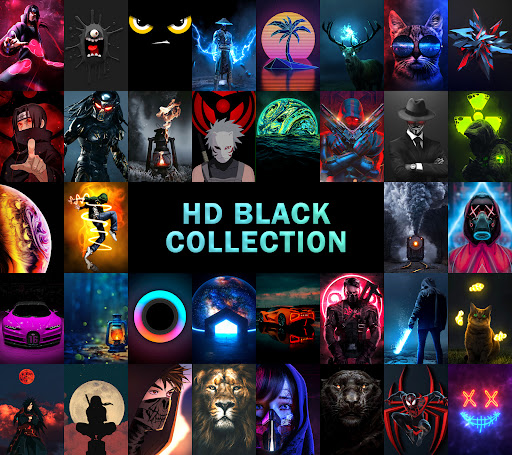
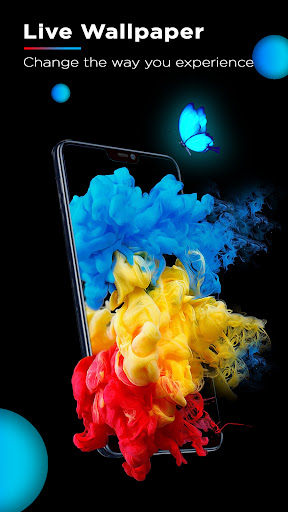
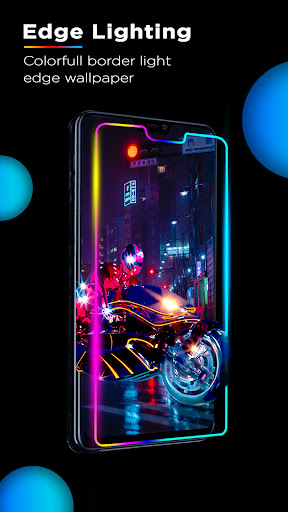
App Description
Black wallpapers 4K/HD, live dark & AMOLED backgrounds for home & lock screens
✨Black Wallpaper 4K HD – Dark, Minimal & AMOLED Styles✨
Love a clean, elegant screen? This app brings curated Black Wallpaper choices and dark backgrounds in HD, Full HD, and 4K (where available). Personalize your home and lock screens with high-quality black wallpapers and smooth live options on supported devices.
Features
• Black Wallpaper library – HD/Full HD/4K options for AMOLED, QHD & UHD displays (4K where available).
• Live dark wallpapers – Smooth, lightweight animations on supported devices.
• Auto Wallpaper Changer – Rotate favorites or categories at your chosen interval.
• Home & Lock screen apply – Set separately with clear previews; device/OS support may vary.
• Subtle edge lighting glow – A wallpaper effect that adds a soft border highlight on supported devices.
• Fast, lightweight browsing – Quick filters for AMOLED Black, Minimalist, Abstract, Nature, Space, Patterns & Textures.
• Favorites & offline – Save what you like and access downloaded items offline.
Why choose this app?
• A focused collection of black wallpapers and dark wallpapers for a modern look.
• Regular updates: new black wallpaper styles, dark backgrounds, and wallpaper 4K options.
• Quick apply with previews for lock screens and Home (when supported).
• Clean UI and smooth performance on Android devices.
How to use
1) Open the app and explore Black Wallpaper categories and dark backgrounds.
2) Preview in HD/Full HD/4K (where available).
3) Apply to Home, Lock, or both (support varies by device/OS).
4) Turn on Auto Changer to refresh your look automatically.
Notes
• “4K” labels are used only where the source image meets high-resolution requirements; others are accurately marked as HD or Full HD.
• Live wallpapers, separate Lock screen setting, and the edge lighting glow depend on device and OS support; this app does not modify system settings outside the wallpaper experience.
📢 Disclaimer:
All wallpapers are sourced under Creative Commons licenses or submitted by users with rights. If you believe your content is used without permission, please contact us — we respect intellectual property rights and will tak