Router Admin & WiFi Manager


27.3K installs
441 ratings
16K monthly active users
Revenue not available
Install Trends
Weekly +13.3K
SteadyMonthly +27.3K
SteadyRouter Admin & WiFi Manager Summary
Router Admin & WiFi Manager is a mobile Android app in Tools by Blazing App Studio. Released in Apr 2026 (1 month ago). It has about 27.3K+ installs and 441 ratings with a 5.00★ (excellent) average. Based on AppGoblin estimates, it reaches roughly 16K monthly active users . Store metadata: updated May 29, 2026.
Recent activity: 13.3K installs this week (27.3K over 4 weeks) , and 382 new ratings this week View trends →
Store info: Last updated on Google Play on May 29, 2026 .
5★
Ratings: 441
Screenshots


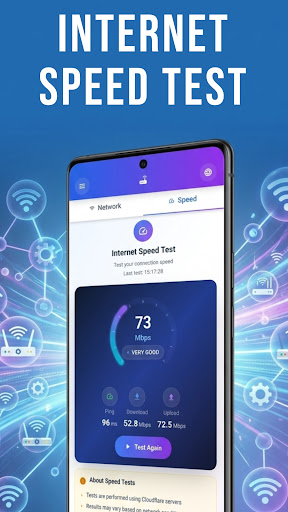
App Description
Access router settings and view WiFi network information easily
Router Admin & WiFi Manager – Access & View Network Information
Want quick access to your router settings and WiFi info? Router Admin & WiFi Manager helps you open your router admin page, view network details, and access settings through your router interface.
🌐 Access Router Admin Page
Open your router login page without searching for IP addresses. Supports common gateway addresses such as 192.168.0.1 and 192.168.1.1.
📶 View WiFi & Network Information
Check details about your current network, including IP address, gateway, signal strength, and connection status.
⚙️ Access Router Settings
Quickly open your router’s admin interface where you can view and adjust settings provided by your router.
⚡ Simple & Easy to Use
Clean interface designed for easy navigation without technical knowledge.
🔒 Private & Local Access
The app does not store or share router credentials. All access is performed locally via your device and router.
✨ Why Users Love Router Admin & WiFi Manager:
- Quick access to router admin page
- View WiFi and network information
- Simple and easy-to-use interface
- Works with common router gateways
- Lightweight and efficient
📲 Whether you're checking your network or accessing router settings, Router Admin & WiFi Manager provides a simple way to navigate your connection.