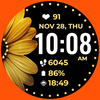

Daisy and Pearls

1.8K installs
25 ratings
28 monthly active users
Revenue not available
Install Trends
Weekly +7.00
Steady
Monthly +26
Declining
Daisy and Pearls icon

ASO Keyword Dashboard

Tracking 122 keywords for Daisy and Pearls in Google Play

Developer: Bloomfield Watchfaces Category: personalization Rating: 4.71

Daisy and Pearls tracks 122 keywords (no keywords rank yet; 122 need traction). Key metrics: opportunity 70.2, difficulty 50.3.

PLEASE READ BEFORE YOU BUY

Tracked keywords

122

0  ranked •  122  not ranking yet

Top 10 coverage

Best rank — • Latest leader —

Avg opportunity

70.2

Top keyword: box

Avg difficulty

50.3

Lower scores indicate easier wins

Opportunity leaders

  • box

    Opportunity: 74.0 • Difficulty: 44.2 • Rank —

    Competitors: 817

    65.8
  • tested

    Opportunity: 74.0 • Difficulty: 40.2 • Rank —

    Competitors: 403

    61.2
  • rotate

    Opportunity: 74.0 • Difficulty: 43.4 • Rank —

    Competitors: 595

    62.4
  • samsung

    Opportunity: 74.0 • Difficulty: 62.0 • Rank —

    Competitors: 627

    65.8
  • allowed

    Opportunity: 74.0 • Difficulty: 53.5 • Rank —

    Competitors: 250

    59.3

Unranked opportunities

  • box

    Opportunity: 74.0 • Difficulty: 44.2 • Competitors: 817

  • tested

    Opportunity: 74.0 • Difficulty: 40.2 • Competitors: 403

  • rotate

    Opportunity: 74.0 • Difficulty: 43.4 • Competitors: 595

  • samsung

    Opportunity: 74.0 • Difficulty: 62.0 • Competitors: 627

  • allowed

    Opportunity: 74.0 • Difficulty: 53.5 • Competitors: 250

High competition keywords

  • new

    Total apps: 368,929 • Major competitors: 21,444

    Latest rank: — • Difficulty: 59.8

  • download

    Total apps: 335,308 • Major competitors: 15,858

    Latest rank: — • Difficulty: 56.8

  • make

    Total apps: 327,341 • Major competitors: 18,223

    Latest rank: — • Difficulty: 58.8

  • find

    Total apps: 307,165 • Major competitors: 16,288

    Latest rank: — • Difficulty: 59.7

  • like

    Total apps: 289,444 • Major competitors: 20,631

    Latest rank: — • Difficulty: 62.7

All tracked keywords

Includes opportunity, difficulty, rankings and competitor benchmarks

Major Competitors
download651005788

335,308 competing apps

Median installs: 1,667

Avg rating: 2.0

15,858

major competitor apps

play661006285

206,958 competing apps

Median installs: 6,219

Avg rating: 2.3

18,529

major competitor apps

new651006089

368,929 competing apps

Median installs: 2,547

Avg rating: 2.1

21,444

major competitor apps

change681005379

90,509 competing apps

Median installs: 3,508

Avg rating: 2.2

5,877

major competitor apps

device681006380

107,978 competing apps

Median installs: 2,602

Avg rating: 2.1

6,164

major competitor apps

make651005988

327,341 competing apps

Median installs: 2,047

Avg rating: 2.1

18,223

major competitor apps

phone671006283

152,369 competing apps

Median installs: 2,624

Avg rating: 2.1

8,545

major competitor apps

connected691005178

74,127 competing apps

Median installs: 549

Avg rating: 1.8

2,177

major competitor apps

step691005178

83,940 competing apps

Median installs: 1,246

Avg rating: 1.9

3,809

major competitor apps

within681005280

102,786 competing apps

Median installs: 1,281

Avg rating: 1.9

3,681

major competitor apps

digital681005281

124,534 competing apps

Median installs: 778

Avg rating: 1.8

4,271

major competitor apps

wear711006372

32,642 competing apps

Median installs: 359

Avg rating: 1.6

811

major competitor apps

wear os721006170

24,337 competing apps

Median installs: 294

Avg rating: 1.5

289

major competitor apps

team691005379

85,638 competing apps

Median installs: 1,274

Avg rating: 2.0

3,959

major competitor apps

using661005885

221,966 competing apps

Median installs: 2,289

Avg rating: 2.0

10,965

major competitor apps

find651006087

307,165 competing apps

Median installs: 2,265

Avg rating: 2.1

16,288

major competitor apps

available661006084

199,899 competing apps

Median installs: 2,015

Avg rating: 2.1

9,729

major competitor apps

customizable711004973

40,926 competing apps

Median installs: 1,100

Avg rating: 2.1

2,084

major competitor apps

rate701004875

50,247 competing apps

Median installs: 2,148

Avg rating: 1.9

2,055

major competitor apps

swipe721005169

22,431 competing apps

Median installs: 3,321

Avg rating: 2.2

1,524

major competitor apps

help651006087

282,188 competing apps

Median installs: 1,657

Avg rating: 2.1

14,387

major competitor apps

account681005579

93,969 competing apps

Median installs: 1,719

Avg rating: 2.1

4,674

major competitor apps

install701005076

59,109 competing apps

Median installs: 2,464

Avg rating: 2.1

2,546

major competitor apps

store691005578

81,488 competing apps

Median installs: 1,307

Avg rating: 2.0

3,956

major competitor apps

watch681005880

104,315 competing apps

Median installs: 1,012

Avg rating: 1.9

5,216

major competitor apps

122 keywords
1 of 5

App Description

PLEASE READ BEFORE YOU BUY

📍INSTALLATION GUIDE

Our watch face apps are thoroughly tested in a real device (Galaxy Watch 4) and are "reviewed and approved" by the Google Play Store Team before publishing them.

⚠️⚠️⚠️ Before you rate us unfairly, reach us out at bloomfieldwatchfaces@gmail.com and we will send you sceeenshots and instructions how to install the watchface. We are more than willing to help you step by step.

TAKE NOTE❗️❗️❗️
1️⃣ Watchfaces automatically install on watch. (There will be a download icon on screen while installing)
2️⃣ MAKE SURE THE WATCH IS STRONGLY CONNECTED TO YOUR PHONE USING THE SAME WIFI. MUST ALSO LOG IN TO YOUR GOOGLE ACCOUNT "ON WATCH" FOR SEAMLESS INSTALLATION.
3️⃣ After download, WAIT for a few minutes for the watchface to be transferred on watch. (There will be a notification on your watch if the watchface was successfully transferred.)
4️⃣ If incase there is no notification, Go to PLAYSTORE ON YOUR WATCH and type on the SEARCH BOX "daisyandpearls"
5️⃣ The watchface will show up, then hit on install button.

⭐️ Watchfaces don't automatically change after successful installion. Go back to home display. Tap and hold display, swipe until the end and tap + to add the watchface. Rotate Bezel to find the watchface.

📍Please see Feature Graphics for more details how to install.

⭐️ALLOW / ENABLE all permissions from settings -> applications -> permissions.

⚠️ Refund is ONLY allowed within 48 hours.

📍This watch face was developed with Samsung's "Watch Face Studio" tool for devices based on the new Wear OS Google / One UI Samsung operating system like Samsung Galaxy Watch 4.

📍FEATURES:
-Digital Clock
-Date
-Always-On (AOD)
-Preset App Shortcuts
-Customizable App Complications (CHANGEABLE)
-Changeable styles & color palette

📍Some features may not be available on some watches.

Full Collection: https://play.google.com/store/apps/developer?id=Bloomfield+Watchfaces
Contact us at: bloomfieldwatchfaces@gmail.com
Facebook Page: https://www.facebook.com/bloomfieldwatchfaces
Youtube Installation Tutorial: https://www.youtube.com/watch?v=vMM4Q2-rqoM