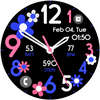

Floral Time Analog

Floral Time Analog
Floral Time Analog
Developer: Bloomfield Watchfaces
Category: Personalization
55 installs
ratings
Floral Time Analog icon

ASO Keyword Dashboard

Tracking 115 keywords for Floral Time Analog in Google Play

Developer: Bloomfield Watchfaces Category: personalization

Floral Time Analog tracks 115 keywords (no keywords rank yet; 115 need traction). Key metrics: opportunity 69.3, difficulty 54.8.

Vibrant Flowery Analog Clock

Tracked keywords

115

0  ranked •  115  not ranking yet

Top 10 coverage

Best rank — • Latest leader —

Avg opportunity

69.3

Top keyword: wait

Avg difficulty

54.8

Lower scores indicate easier wins

Opportunity leaders

  • wait

    Opportunity: 73.0 • Difficulty: 49.0 • Rank —

    Competitors: 1,347

    68.3
  • make sure

    Opportunity: 73.0 • Difficulty: 55.3 • Rank —

    Competitors: 1,710

    68.5
  • icon

    Opportunity: 73.0 • Difficulty: 55.3 • Rank —

    Competitors: 1,128

    68.6
  • styles

    Opportunity: 73.0 • Difficulty: 51.8 • Rank —

    Competitors: 1,719

    68.2
  • wear

    Opportunity: 72.0 • Difficulty: 79.5 • Rank —

    Competitors: 839

    65.9

Unranked opportunities

  • wait

    Opportunity: 73.0 • Difficulty: 49.0 • Competitors: 1,347

  • make sure

    Opportunity: 73.0 • Difficulty: 55.3 • Competitors: 1,710

  • icon

    Opportunity: 73.0 • Difficulty: 55.3 • Competitors: 1,128

  • styles

    Opportunity: 73.0 • Difficulty: 51.8 • Competitors: 1,719

  • wear

    Opportunity: 72.0 • Difficulty: 79.5 • Competitors: 839

High competition keywords

  • new

    Total apps: 193,474 • Major competitors: 25,823

    Latest rank: — • Difficulty: 65.7

  • time

    Total apps: 170,577 • Major competitors: 19,592

    Latest rank: — • Difficulty: 64.6

  • make

    Total apps: 163,352 • Major competitors: 21,922

    Latest rank: — • Difficulty: 65.0

  • like

    Total apps: 150,415 • Major competitors: 21,531

    Latest rank: — • Difficulty: 68.5

  • find

    Total apps: 143,808 • Major competitors: 16,874

    Latest rank: — • Difficulty: 65.1

All tracked keywords

Includes opportunity, difficulty, rankings and competitor benchmarks

Major Competitors
download651006088

139,812 competing apps

Median installs: 34,022

Avg rating: 2.9

15,046

major competitor apps

play651006786

113,236 competing apps

Median installs: 62,750

Avg rating: 3.2

19,366

major competitor apps

new641006690

193,474 competing apps

Median installs: 42,470

Avg rating: 3.0

25,823

major competitor apps

change681005580

48,309 competing apps

Median installs: 42,177

Avg rating: 3.0

6,101

major competitor apps

device681007281

52,389 competing apps

Median installs: 37,519

Avg rating: 3.0

6,390

major competitor apps

make641006589

163,352 competing apps

Median installs: 42,108

Avg rating: 3.0

21,922

major competitor apps

phone671006983

75,756 competing apps

Median installs: 37,780

Avg rating: 3.0

9,010

major competitor apps

connected701005674

22,704 competing apps

Median installs: 25,700

Avg rating: 2.8

2,181

major competitor apps

within681005680

45,953 competing apps

Median installs: 29,549

Avg rating: 2.8

4,617

major competitor apps

wear721008066

7,173 competing apps

Median installs: 24,222

Avg rating: 3.2

839

major competitor apps

analog711003857

2,143 competing apps

Median installs: 22,553

Avg rating: 3.4

183

major competitor apps

analog clock681003046

470 competing apps

Median installs: 28,370

Avg rating: 3.4

55

major competitor apps

clock721005166

7,715 competing apps

Median installs: 33,996

Avg rating: 3.3

796

major competitor apps

wear os711007660

3,443 competing apps

Median installs: 13,088

Avg rating: 3.5

279

major competitor apps

team691005878

34,741 competing apps

Median installs: 33,606

Avg rating: 2.9

4,020

major competitor apps

using651006486

114,758 competing apps

Median installs: 37,480

Avg rating: 2.8

13,323

major competitor apps

find651006588

143,808 competing apps

Median installs: 36,002

Avg rating: 3.0

16,874

major competitor apps

time641006589

170,577 competing apps

Median installs: 33,133

Avg rating: 2.9

19,592

major competitor apps

available661006685

92,463 competing apps

Median installs: 34,120

Avg rating: 2.9

9,952

major competitor apps

customizable711005472

16,056 competing apps

Median installs: 38,582

Avg rating: 3.4

2,108

major competitor apps

swipe721005569

11,012 competing apps

Median installs: 44,184

Avg rating: 3.3

1,546

major competitor apps

account681006079

41,533 competing apps

Median installs: 33,567

Avg rating: 3.0

4,686

major competitor apps

install701005276

28,821 competing apps

Median installs: 36,035

Avg rating: 3.0

2,729

major competitor apps

store691006078

34,411 competing apps

Median installs: 36,549

Avg rating: 2.9

4,003

major competitor apps

watch691006978

38,532 competing apps

Median installs: 39,176

Avg rating: 3.0

5,315

major competitor apps

115 keywords
1 of 5

App Description

Vibrant Flowery Analog Clock

📍INSTALLATION GUIDE

Our watch face apps are thoroughly tested in a real device (Galaxy Watch 4) and are "reviewed and approved" by the Google Play Store Team before publishing them.

TAKE NOTE❗️❗️❗️
1️⃣ Watchfaces automatically install on watch. (There will be a download icon on screen while installing)
2️⃣ MAKE SURE THE WATCH IS STRONGLY CONNECTED TO YOUR PHONE USING THE SAME WIFI. MUST ALSO LOG IN TO YOUR GOOGLE ACCOUNT "ON WATCH" FOR SEAMLESS INSTALLATION.
3️⃣ After download, WAIT for a few minutes for the watch face to be transferred on watch. (There will be a notification on your watch if the watchface was successfully transferred.)
4️⃣ If incase there is no notification, Go to PLAYSTORE ON YOUR WATCH and type on the SEARCH BOX "Flower Time Analog"
5️⃣ The watchface will show up, then hit on install button.

⭐️ Watchfaces don't automatically change after successful installion. Go back to home display. Tap and hold display, swipe until the end and tap + to add the watchface. Rotate Bezel to find the watchface.

📍Please see Feature Graphics for more details how to install.

⭐️ALLOW / ENABLE all permissions from settings -> applications -> permissions.

⚠️ Refund is ONLY allowed within 48 hours.

📍This watch face was developed with Samsung's "Watch Face Studio" tool for devices based on the new Wear OS Google / One UI Samsung operating system like Samsung Galaxy Watch 4.

📍FEATURES:
-Analog Clock
-Date
-Always-On (AOD)
-Preset App Shortcuts
-Customizable App Shortcuts
-Changeable Index & Watch Hands Styles & Colors

📍Some features may not be available on some watches.

Full Collection: https://play.google.com/store/apps/developer?id=Bloomfield+Watchfaces
Contact us at: bloomfieldwatchfaces@gmail.com
Facebook Page: https://www.facebook.com/bloomfieldwatchfaces
Youtube Installation Tutorial: https://www.youtube.com/watch?v=vMM4Q2-rqoM