Simple Calculator

Simple Calculator Summary
Simple Calculator is a ad-supported, with in-app purchases Android app in Productivity by SIMPLE APPS. Released in Dec 2018 (7 years ago). It has about 23.7M+ installs and 66.3K ratings with a 4.35★ (good) average. Based on AppGoblin estimates, it reaches roughly 529.4K monthly active users and generates around $50K+ monthly revenue (48% IAP / 52% ads). Store metadata: updated Mar 10, 2026, version 111.
Recent activity: 56.7K installs this week (186.7K over 4 weeks) showing steady growth , and 50 new ratings this week View trends →
Data tracking: SDKs and third-party integrations were last analyzed on Jun 7, 2026. The app's network data flows (API traffic to/from the app and its SDKs) were last crawled on Nov 5, 2025.
Store info: Last updated on Google Play on Mar 10, 2026 (version 111).
SDKs, Trackers & Permissions
Simple Calculator was last scanned for SDKs 2026-06-07. Below is the overview of third party companies detected in the app. The full list of raw SDKs, app permissions and unknown SDKs is available here.
 Google
 Unity
Unity Square
 Kotlin
 AdMob
AdMob Firebase
App Details
App Store
Ads & App-Ads.txt
AppGoblin SDK Scans
4.35★
Ratings: 66.3K
Screenshots
App Description
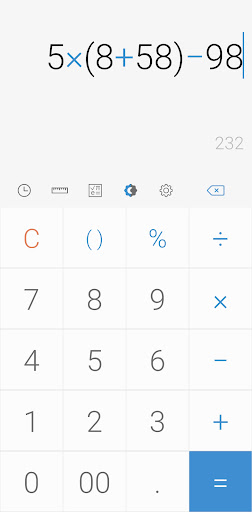
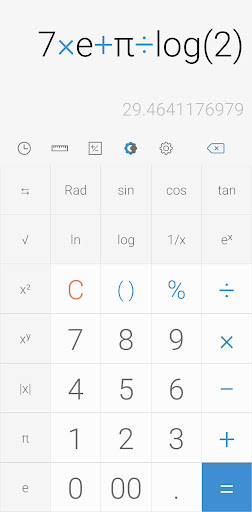
Do simple and scientific calculations easily.
[Key features]
Perform four fundamental operations and engineering calculations.
To start the engineering calculator, tap the engineering calculator icon.
To check the calculation history, tap the calculation history icon.
You can use all the previously inputted formulas. Tap the formula you need from the calculation history.
[Additional features]
To convert units, tap the unit calculator button. You can easily convert various types of
Currency,
Area,
Length,
Temperature,
Volume,
Mass,
Data,
Speed,
Time,
Date,
BMI,
Discount,
Age,
Numeral System,
GST,
Split bill,
Frequency,
Fuel,
Angle,
Pressure,
Force,
Power,
Loan
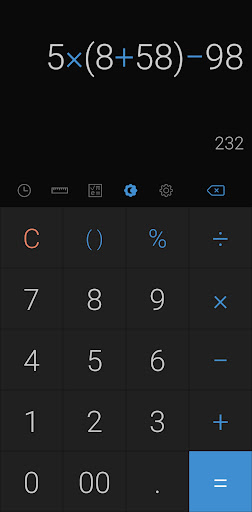
To change theme mode, tap the night mode icon.
To specify the time of night mode, select time range from settings.
To change color, chose the color you want from settings
To delete a history, long press on it in the history page
To change language, select preferred language from settings.
To play a beep or vibrate when pressing a button, go to settings.
To change numerals, select preferred numerals from settings (All numerals are supported)
To change number format, select the preferred format from settings
To change decimal places after the comma, select the number of decimal places from settings
To enable / disable full screen, enable / disable it from settings.
To keep calculation record, enable/disable it from settings.
To keep the screen on, enable/disable it from settings.
To hide an icon, go to settings.
*****
Last but not least, all of these features come in small size and it is completely free.