HEIC To JPG Converter

HEIC To JPG Converter Summary
HEIC To JPG Converter is a mobile Android app in Productivity by BTTC Software. Released in Jan 2026 (4 months ago). It has about 525+ installs Based on AppGoblin estimates, it reaches roughly 79 monthly active users . Store metadata: updated Feb 10, 2026.
Recent activity: 21 installs this week (130 over 4 weeks) showing steady growth View trends →
Store info: Last updated on Google Play on Feb 10, 2026 .
0★
Ratings: 0
Screenshots



App Description
Batch Image Converter, PNG to HEIC, Change Photo Format, HEIC to JPEG, Save HEIC
Cannot open photos sent from an iPhone? Need to convert HEIC images to JPG or PNG for easier sharing?
HEIC to JPG Converter is your ultimate tool to view and convert .heic files on Android. Whether you need to convert HEIC to JPG/PNG/WEBP for compatibility, or convert JPG to HEIC to save storage space, this app does it all instantly.
With our powerful Batch Conversion feature, you can process hundreds of photos at once. Plus, with customizable Image Quality settings, you have full control over the file size and clarity.
🔥 Key Features:
1. All-in-One Format Converter (Bidirectional)
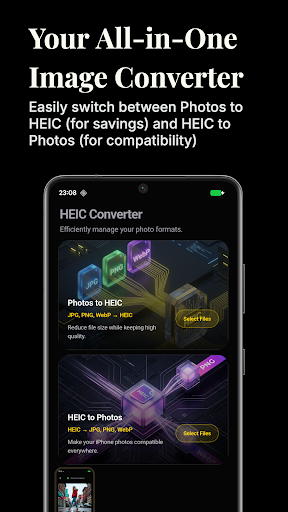
HEIC to JPG/PNG/WEBP: Easily convert iPhone photos to standard formats that can be opened on any Android device or Windows PC.
JPG/PNG to HEIC: Convert standard images to HEIC format to compress file size without losing quality.
Supports HEIC, JPG, JPEG, PNG, and WEBP.
2. ⚡ Batch Conversion & Speed
Save time by converting multiple images at once. Select your entire album and convert in seconds.
Background processing ensures you can use other apps while converting.
3. 🎨 Customizable Image Quality
You are in control. Adjust the quality slider (compression level) before conversion.
Choose high quality for printing or lower quality to save storage space and share faster.
4. 📂 Smart Management & History
Save to Gallery: Converted photos are automatically saved to your phone’s gallery for easy access.
Conversion History: Keep track of your past activities. View, share, or delete converted files directly from the history tab.
Easy Sharing: Share converted JPGs directly to WhatsApp, Instagram, Email, or Telegram with one tap.
5. 🔒 Offline & Private
No internet connection required. All conversions happen locally on your phone.
Your photos remain private and secure.
Why use HEIC Converter? HEIC (High Efficiency Image File Format) is great for quality, but many apps and old devices don't support it. This app bridges the gap, allowing you to:
View HEIC files on Android.
Convert photos for social media upload.
Manage storage efficiently.
Download HEIC to JPG Converter now for free! The fast, simple, and reliable way to handle your photo formats.