Car play - Android Auto Sync

Car play - Android Auto Sync Summary
Car play - Android Auto Sync is a ad-supported Android app in Auto And Vehicles by InGenious. Released in Jul 2024 (1 year ago). It has about 953.5K+ installs and 1K ratings with a 2.82★ (poor) average. Based on AppGoblin estimates, it reaches roughly 60.8K monthly active users and generates around $<10K monthly revenue (0% IAP / 100% ads). Store metadata: updated May 5, 2026.
Recent activity: 3.8K installs this week (14.2K over 4 weeks) showing below average growth , and 2.00 new ratings this week View trends →
Advertising: AppGoblin detected 1.00 monetized ad creatives shown inside the app.
Data tracking: SDKs and third-party integrations were last analyzed on Apr 7, 2026. The app's network data flows (API traffic to/from the app and its SDKs) were last crawled on Oct 20, 2025.
Store info: Last updated on Google Play on May 5, 2026 .
SDKs, Trackers & Permissions
Car play - Android Auto Sync was last scanned for SDKs 2026-04-07. Below is the overview of third party companies detected in the app. The full list of raw SDKs, app permissions and unknown SDKs is available here.
AppGoblin saw Car play - Android Auto Sync uses 4 Development Tools
 JetBrains
 JetBrains IntelliJ
 Kotlin
 Google
AppGoblin saw Car play - Android Auto Sync uses 1 Ad Networks
AppGoblin saw Car play - Android Auto Sync uses 1 Analytics: Product
 Firebase
AppGoblin saw Car play - Android Auto Sync uses 1 Mediation
 AdMob
AdMobApp Details
App Store
Ads & App-Ads.txt
AppGoblin SDK Scans
2.82★
Ratings: 1K
Screenshots


App Description
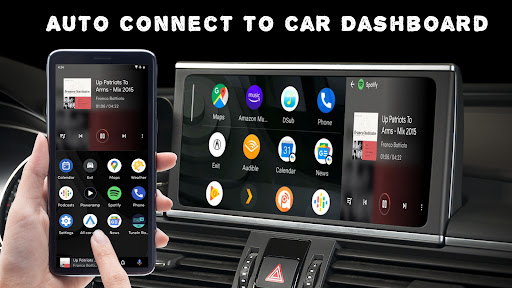
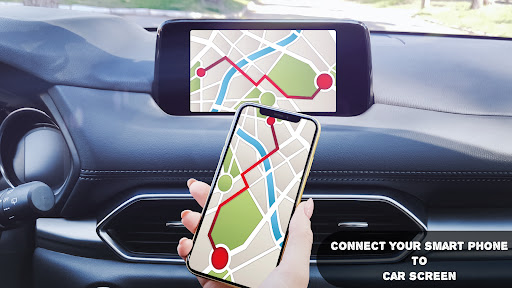
Connect your phone to your car’s dashboard easily with Car play and Android Auto
The Car play - Android Auto Sync app is designed to streamline the connection between your smartphone and your car's dashboard system. This app supports both Car Play and Android Auto, making it easier for users to integrate their phones with their vehicle's infotainment system for a safer and more convenient driving experience.
Key Features:
Seamless Integration:
Effortlessly connect your Android device with your car's dashboard system.
Automatically detect and establish a connection with compatible car infotainment systems.
User-Friendly Interface:
Simplified setup process with step-by-step instructions.
Intuitive controls for managing and adjusting settings.
Enhanced Compatibility:
Supports a wide range of vehicles and infotainment systems.
Regular updates to improve compatibility with new car models and phone updates.
Smart Connectivity:
Connect your phone via USB or wireless (if supported by your car).
Auto-launch Car Play or Android Auto upon connection.
Customizable Settings:
Personalize your dashboard display preferences.
Manage notifications and app permissions for a more tailored driving experience.
Troubleshooting Assistance:
Built-in diagnostic tools to help resolve connection issues.
Access to a support community and FAQs for additional help.
Safety Features:
Voice control integration for hands-free operation.
Access to navigation, music, and communication apps with minimal distraction.
Benefits:
Increased Safety: Keep your focus on the road by using voice commands and hands-free features.
Convenience: Easily access your favorite apps and features from your car's dashboard.
Enhanced Connectivity: Enjoy reliable and consistent connectivity between your phone and car system.
How to Get Started:
Download the Car Play - Android Auto Sync app from the App Store or Google Play Store.
Follow the on-screen instructions to connect your phone to your car’s infotainment system.
Customize your settings and start enjoying the seamless integration of your smartphone with your car’s dashboard.
Note: Make sure your car's infotainment system is compatible with Car Play or Android Auto before using this app.