Bluetooth Page Turner


Bluetooth Page Turner Summary
Bluetooth Page Turner is a ad-supported Android app in Tools by Cast4TV. Released in Oct 2022 (3 years ago). It has about 9.6K+ installs and 60 ratings with a 2.57★ (poor) average. Based on AppGoblin estimates, it reaches roughly 751 monthly active users and generates around $<10K monthly revenue (0% IAP / 100% ads). Store metadata: updated Jul 31, 2025.
Recent activity: 352 installs this week (591 over 4 weeks) showing exceptional growth View trends →
Store info: Last updated on Google Play on Jul 31, 2025 .
2.57★
Ratings: 60
Screenshots

App Description
Bluetooth remote control scroll Tok videos, click to "like", "pause"&"play".
* Why need the Bluetooth Remote Control Page Turner?
I like to watch video in the bed, I use a Phone Stand but I don't want to swipe screen by hand.
* What is the Bluetooth Remote Control Page Turner?
You don't need to use your finger to slide videos any more. This Bluetooth remote could scroll videos, double click to "like", "pause"&"play". Taking videos will be easier, use with a mobile phone holder or just make your phone fixed where you want, no need to ever to touch your phone again.
* How to use the Bluetooth Remote Control Page Turner?
1. Enable the short video phone's bluetooth and let it visible.
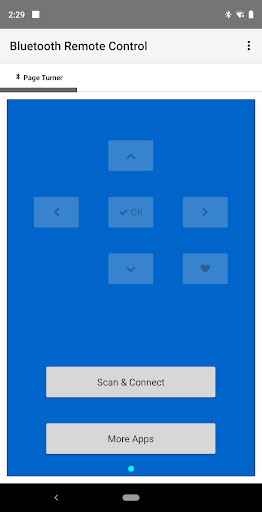
2. Tap "Scan & Connect".
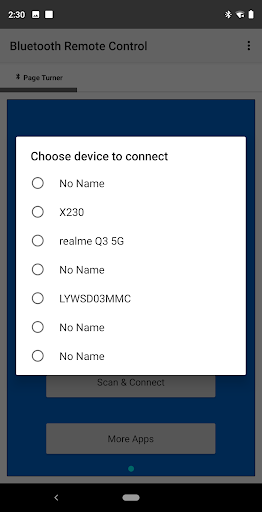
3. Start searching nearby devices.
4. After searching complete, Select the short video phone from list to connect.
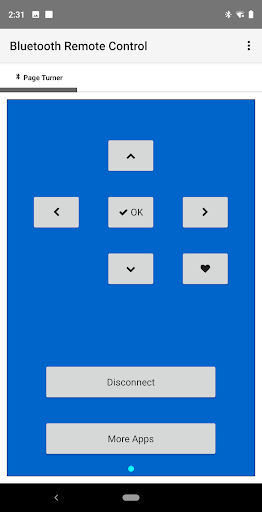
5. After paired and connected, Launch phone's short video app.
6. Tap arrows to control the phone's video page.
* Does any phone support Bluetooth Remote Control Page Turner?
No. Many device manufacturers have disabled the Bluetooth HID device profile on their devices. You would have to ask your device manufacturers to enable it. You can check with this app {Bluetooth HID Device Profile Compatibility Checker} if the Bluetooth HID device profile is disabled for you or not.