Cast to TV - Screen Mirroring

Cast to TV - Screen Mirroring Summary
Cast to TV - Screen Mirroring is a ad-supported, with in-app purchases Android app in Tools by iKame Applications - Begamob Apps. Released in Nov 2022 (3 years ago). It has about 3.7M+ installs and 28.3K ratings with a 4.07★ (good) average. Based on AppGoblin estimates, it reaches roughly 101.2K monthly active users and generates around $<10K monthly revenue (28% IAP / 72% ads). Store metadata: updated Apr 23, 2026, version 136701.
Recent activity: 461 installs this week (1.9K over 4 weeks) showing below average growth View trends →
Advertising: AppGoblin detected 1.00 monetized ad creatives shown inside the app.
Data tracking: SDKs and third-party integrations were last analyzed on May 21, 2026. The app's network data flows (API traffic to/from the app and its SDKs) were last crawled on Jan 31, 2026.
Store info: Last updated on Google Play on Apr 23, 2026 (version 136701).
SDKs, Trackers & Permissions
Cast to TV - Screen Mirroring was last scanned for SDKs 2026-05-21. Below is the overview of third party companies detected in the app. The full list of raw SDKs, app permissions and unknown SDKs is available here.
AppGoblin saw Cast to TV - Screen Mirroring uses 10 Development Tools
 Bumptech
 Square
 Google
 Jake Wharton
AppGoblin saw Cast to TV - Screen Mirroring uses 7 Ad Networks
 Facebook
 VK
VK Pangle
AppGoblin saw Cast to TV - Screen Mirroring uses 2 Mediation
 ByteDance
 AdMob
AdMobAppGoblin saw Cast to TV - Screen Mirroring uses 1 Analytics: Product
 Firebase
AppGoblin saw Cast to TV - Screen Mirroring uses 1 Business Tools
AppGoblin saw Cast to TV - Screen Mirroring uses 1 Analytics: Attribution
 Adjust
App Details
App Store
Ads & App-Ads.txt
AppGoblin SDK Scans
4.07★
Ratings: 28.3K
Screenshots
App Description
Cast to TV - Screen Mirroring helps streaming phone to TV screen in high quality
If your eyes are tired from staring at your small smartphone, you need to get a great big screen experience by connecting your phone to TV, Chromecast, Firestick, RokuTV & Anycast via this Cast to TV - Screen Mirroring!
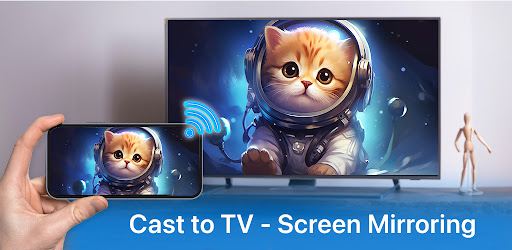
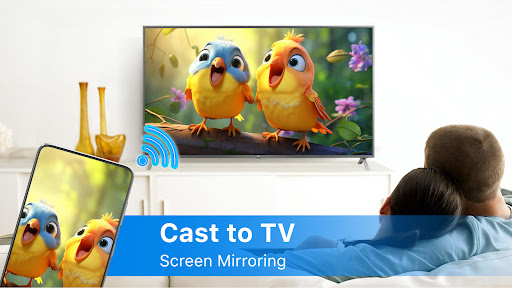
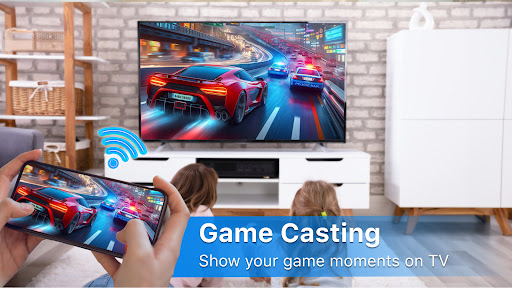
Cast to TV - Screen Mirroring allows you to mirror your smartphone on the TV screen in high quality. You will be able to stream videos, music, photographs, and other content to your large TV. With Cast to TV - Screen Mirroring app you can cast phone and tablet content quickly and reliably to TV.
By connecting your phone to a TV screen with the Cast to TV - Screen Mirroring app, you can quickly stream movies from your phone to your large-screen TV. This app will help you scan and mirror the screen of your Android phone or tablet on smart TV.
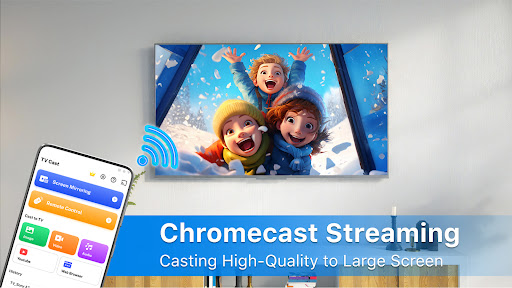
You can cast local and web films, music, and photos to your TV, Chromecast, RokuTV, Amazon FireTV or Fire Stick, Xbox, Apple TV, or other DLNA devices with Cast to TV. Stream videos and movies on TV right now by casting to TV!
🏅🏅🏅Features:
● Simple phone control of TV functions like volume, pause, fast-forward, and next/previous.
● Cast videos to your TV.
● Playback of videos locally.
● Auto search for available cast devices & streaming devices.
● Automatically recognize video, audio, and photo files on your device and SD Card.
● Built-in browser for streaming web videos.
● Add local video, local audio to Play Queue.
● Play media in shuffle, loop, repeat mode.
● Design for video cast, music cast & photo slideshow cast.
Stream your favorite movies: Stream movies, videos, photos and apps on big smart TV screen.
Cast your best family moments: Cast to TV - Screen Mirroring allows you to open window in smart TV screen from your smartphone. Screen mirroring is useful for streaming movies, videos, access photos and apps on the TV screen. Sharing your phone screen on TV screen now is very easy.
📺All Cast in One. With Cast to TV, you can cast to:
☆ Chromecast
☆ Smart TVs: Samsung, LG, Sony, Hisense, Xiaomi, Panasonic, etc.
☆ Xbox One and Xbox 360
☆ Amazon Fire TV and Cast to Fire Stick
☆ Apple TV and Airplay
☆ RokuStick and RokuTVs
☆ Other DLNA receivers
Cast to TV is the most effective mirroring method for screen mirroring in real-time speed. If you want to cast video from Android to tv, you’d better try Cast to TV - Screen Mirroring.
How To Use:
1. Your TV should support Wireless Display or any sort of Display Dongles.
2. The TV must be connected to WI-FI network same as your phone.
3. Launch the app and connect the app