QuickCast: Cast for Chromecast


QuickCast: Cast for Chromecast Summary
QuickCast: Cast for Chromecast is a ad-supported, with in-app purchases Android app in Tools by Snovx Games. Released in May 2025 (10 months ago). It has about 199.1K+ installs and 228 ratings with a 3.68★ (average) average. Based on AppGoblin estimates, it reaches roughly 13.6K monthly active users and generates around $<10K monthly revenue (50% IAP / 50% ads). Store metadata: updated Mar 20, 2026.
Recent activity: 89 installs this week (11.1K over 4 weeks) showing exceptional growth , and 6.00 new ratings this week View trends →
Data tracking: SDKs and third-party integrations were last analyzed on Oct 21, 2025. The app's network data flows (API traffic to/from the app and its SDKs) were last crawled on Mar 4, 2026.
Store info: Last updated on Google Play on Mar 20, 2026 .
QuickCast: Cast for Chromecast was last scanned for SDKs 2025-10-21. Below is the overview of third party companies detected in the app. The full list of raw SDKs, app permissions and unknown SDKs is available here.
 Airbnb Engineering
 Google
 Bumptech
 Kotlin
 Facebook
 Firebase
 AdMob
AdMob3.68★
Ratings: 228
Screenshots


App Description
QuickCast - TV Cast for Chromecast: Screen Cast to smart TV - Fast & Stable!
QuickCast - TV Cast for Chromecast makes it simple to cast your phone screen to any smart TV in just seconds. Whether you're using Chromecast, Roku, Fire TV, Xbox, Samsung, LG TV, or others, this app helps you stream photos, videos, and apps to the big screen with ease.
Enjoy your favorite content without straining your eyes on a small screen. With QuickCast, you can mirror your device, stream media, and even control your TV right from your phone—all over the same Wi-Fi connection.
📺 Key Features:
Screen Mirroring: Mirror your phone screen to TV in real-time with low latency.
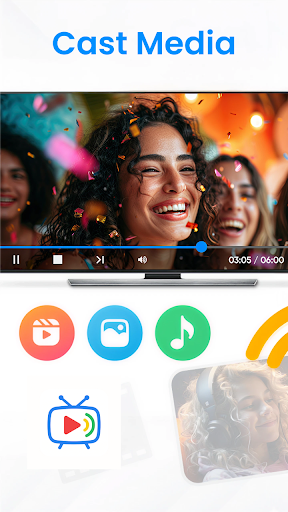
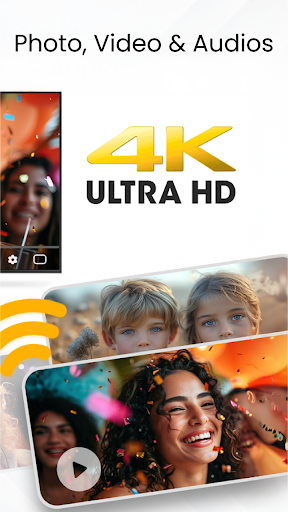
Cast to TV: Easily cast photos, videos, music, and web content.
TV Remote Control: Control playback, volume, and navigation directly from your phone.
Stream from Popular Apps: Cast directly from YouTube, Google Photos, or a web browser.
Bigger Screen Experience: Play games, watch movies, and view presentations on your TV.
🎮 Roku & Streaming Device Support:
Mirror your screen on all Roku devices (Sticks, Boxes, TVs like TCL or Hisense).
Use the app to control your Roku TV and stream photos/videos.
Please note: Audio streaming, video scrubbing, and some formats may not be supported.
📲 How to Use:
Connect your phone and smart TV to the same Wi-Fi network.
Enable Wireless Display / Miracast on your TV.
Open the app and connect to your TV.
Start mirroring or casting instantly!
📡 Supported Devices:
Chromecast
Roku
Fire TV
Xbox
Smart TVs: Samsung, LG, Sony, and more
Disclaimer: QuickCast - TV Cast for Chromecast is not affiliated with or endorsed by Google, Roku, or any other brand mentioned.
📧 For support, contact: snovxgames@gmail.com