Clip Stack - Clipboard Manager


Clip Stack - Clipboard Manager Summary
Clip Stack - Clipboard Manager is a with in-app purchases Android app in Tools by Ruoxin He. Released in Jan 2015 (11 years ago). It has about 521K+ installs and 7.1K ratings with a 4.05★ (good) average. Based on AppGoblin estimates, it reaches roughly 1.5K monthly active users and generates around $<10K monthly revenue (100% IAP / 0% ads). Store metadata: updated Sep 25, 2019.
Recent activity: 48 installs this week (144 over 4 weeks) showing steady growth , and 2.00 new ratings this week View trends →
Store info: Last updated on Google Play on Sep 25, 2019 .
4.05★
Ratings: 7.1K
Screenshots

App Description
Clipboard History Manager
Clip Stack The easiest way to extend multi clipboard for Android.
Android 10 Special Tips:
Since Android 10 background clipboard access has been limited so you have to grant these ADB permissions to Clip Stack on your computer:
adb -d shell appops set com.catchingnow.tinyclipboardmanager SYSTEM_ALERT_WINDOW allow;
adb -d shell pm grant com.catchingnow.tinyclipboardmanager android.permission.READ_LOGS;
adb -d shell am force-stop com.catchingnow.tinyclipboardmanager;
There is no impact on the version below android 10 and can be used directly.
************
- XDA-Developers: The developer offers up an app that allows you to control your clipboard and easily store multiple links and copies.
- Droid Views: After extensively using this app I must say this app is a true winner in actually making it easier for us to freely copy text and then use it some other time.
************
🌐 Unlimited Clipboards
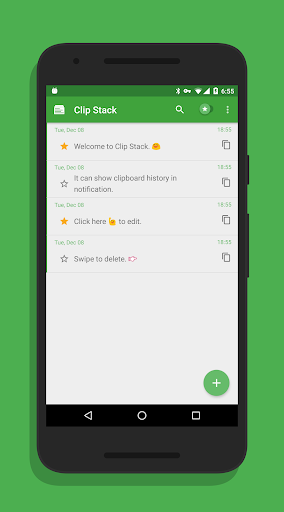
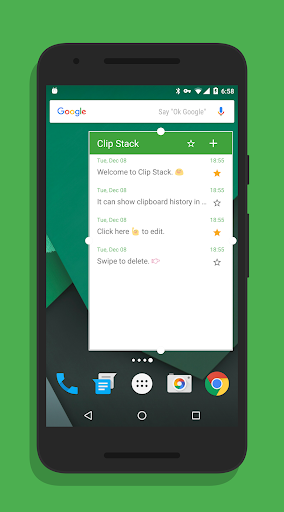
Clip Stack can remember all your clipboard history and recover text after reboot. It's a clipboard manager, a user friendly notebook, and maybe a tiny GTD manager.
You can easily copy, share, star, delete, and merge every text.
🌐 Works Everywhere
Whatever phone or tablet, all Android devices are supported.
🌐 Powerful Notification
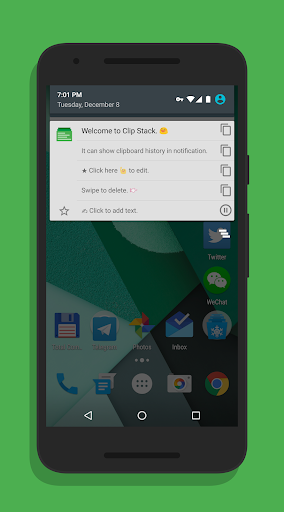
Clip stack's notification is simple and powerful. You can switch the recent 5 texts just in notification.
Notification will be displayed only when copying new text and you can dismiss it by swipe or even disable it by long press.
🌐 Permission Usage
RECEIVE_BOOT_COMPLETED: Start a background service to listen the system clipboard. It only cost 6M - 10M RAM. You can close it in Settings if you really don't want it.
WRITE_EXTERNAL_STORAGE and READ_EXTERNAL_STORAGE: For export clipboard history. This app won't write any other files to your SD card.
VENDING.BILLING: Only for donate. Clip stack is a free app.
SYSTEM_ALERT_WINDOW and READ_LOGS: For Android 10's background clipboard limitation and will not be used on other systems.