CBT Exam Browser - Exambro

CBT Exam Browser - Exambro Summary
CBT Exam Browser - Exambro is a ad-supported Android app in Education by mimikridev. Released in Dec 2020 (5 years ago). It has about 2.6M+ installs and 56.6K ratings with a 3.26★ (mixed) average. Based on AppGoblin estimates, it reaches roughly 90.6K monthly active users and generates around $<10K monthly revenue (0% IAP / 100% ads). Store metadata: updated Oct 21, 2025, version 57.
Recent activity: 32.2K installs this week (95K over 4 weeks) showing steady growth , and 858 new ratings this week View trends →
Advertising: AppGoblin detected 1.00 monetized ad creatives shown inside the app.
Data tracking: SDKs and third-party integrations were last analyzed on May 11, 2026. The app's network data flows (API traffic to/from the app and its SDKs) were last crawled on Jun 19, 2025.
Store info: Last updated on Google Play on Oct 21, 2025 (version 57).
CBT Exam Browser - Exambro was last scanned for SDKs 2026-05-11. Below is the overview of third party companies detected in the app. The full list of raw SDKs, app permissions and unknown SDKs is available here.
 AdMob
AdMob Unity
Unity One Signal
 Google
 VK
VK Bumptech
 Square
 Kotlin
 Firebase
3.26★
Ratings: 56.6K
Screenshots



App Description
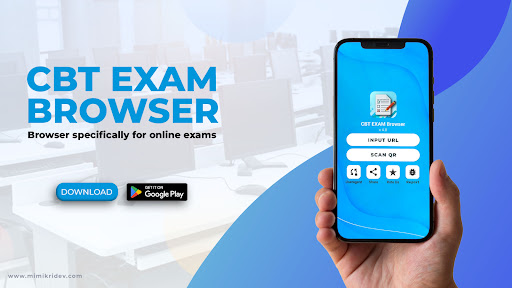
Browser application for exam
With this application students will be more focused on taking exams and minimizing cheating.
Use the Pro version or without ads, which can be downloaded here https://play.google.com/store/apps/details?id=com.cbt.exam.browser.pro
Main feature:
1.Access the test server by inputting the url or Scan QR
2.Students cannot open other applications during the exam
3. Disabling the dual screen feature
4. Disabling Screen Shoot
5. Disabling floating apps
6. Zoom in zoom out
7. Exit the app with just the exit button
8. Easy navigation menu
9. Server address is not visible
10. Time indicator in the upper right corner
11. Custom user agent available (exam server access only from the cbt exam browser
*Use the user agent "cbt-exam-browser" in the file index server, so that the exam server can only be accessed with this application. And don't forget to turn on the custom user agent in the student application by simply pressing the on button in the user agent menu inside this application. Thank you