Split Screen Launcher


Split Screen Launcher Summary
Split Screen Launcher is a ad-supported, with in-app purchases Android app in Tools by One Music Player. Released in Apr 2022 (4 years ago). It has about 3.3M+ installs and 18.6K ratings with a 4.27★ (good) average. Based on AppGoblin estimates, it reaches roughly 256.2K monthly active users and generates around $10K+ monthly revenue (51% IAP / 49% ads). Store metadata: updated Jul 1, 2025, version 30.
Recent activity: 47.2K installs this week (191.4K over 4 weeks) showing steady growth , and 305 new ratings this week View trends →
Data tracking: SDKs and third-party integrations were last analyzed on Mar 19, 2026. The app's network data flows (API traffic to/from the app and its SDKs) were last crawled on Jan 15, 2026.
Store info: Last updated on Google Play on Jul 1, 2025 (version 30).
Split Screen Launcher was last scanned for SDKs 2026-03-19. Below is the overview of third party companies detected in the app. The full list of raw SDKs, app permissions and unknown SDKs is available here.
 Yandex Metrica
 AppMetrica
 Singular
 AppLovin
 Google
 Facebook
 Yandex
 Kotlin
 Square
 AdMob
AdMob Firebase
4.27★
Ratings: 18.6K
Screenshots
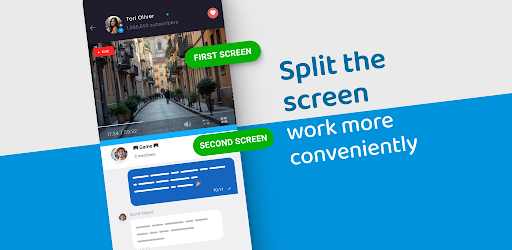


App Description
Open two apps on the screen simultaneously with Split Screen Launcher!
Split Screen Launcher - Effortless Multitasking on Your Phone!
Ready to boost your productivity by running two apps at the same time? Split Screen Launcher is the perfect tool for multitaskers who want to open two windows on their phone simultaneously. Whether you're comparing information, chatting while browsing, or using navigation and messaging together, Split Screen Launcher simplifies your workflow. With smooth dual-window functionality, your multitasking experience will be faster, more flexible, and more efficient than ever!Multitask smarter, not harder, with the intuitive features of Split Screen Launcher.
📄 Split Screen Launcher Key Features:📄
📱 Launch two apps simultaneously with one tap;
📱 Customize your Split Screen App: Multitasking combinations;
📱 Save your favorite app pairs for quick access;
📱 Works seamlessly on supported devices;
📱 Toggle between single and Split Screen Dual Window mode easily;
📱 Enhance productivity with side-by-side viewing;
📱 Streamlined interface for a better multitasking experience;
📱 Lightweight, fast, and easy to use;
📱 Perfect for Split Screen App: Multitasking needs anytime.
Maximize Your Screen with Dual App Viewing!
The Split Screen App: Multitasking functionality lets you take full advantage of your phone's capabilities. Launch two apps side-by-side without switching back and forth—saving time and keeping your workflow seamless. Whether you're a student taking notes while attending online lectures or a professional monitoring email while reviewing documents, the Split Screen App: Multitasking tool makes multitasking effortless and reliable.Split Screen Launcher enables you to work or play in two apps simultaneously, making your tasks faster and more efficient. By choosing your favorite app pairs and customizing your layout, the Split Screen Launcher ensures you always stay productive.
Customize Your Experience: 🔧
Split Screen Dual Window mode allows you to tailor your setup. Use the split point to control where the screen divides and adjust it according to your needs. Whether you want equal screen space or prefer a dominant app on one side, Split Screen Dual Window gives you the flexibility to adapt the screen for any task.
Smart and Simple Setup: ⚙️
The user-friendly interface of Split Screen Launcher makes it easy to get started. Just select your two apps and start multitasking. You can even save your preferred setups for one-tap access later. From messaging and video to browsing and notetaking, Split Screen Launcher adapts to your lifestyle with zero hassle.
Speed Meets Productivity: 🚀
Switch from one app to another without closing windows. Split Screen Dual Window helps you manage work, entertainment, and communication side by side. No more interruptions—just smooth multitasking. With the power of Split Screen Dual Window, you can experience true efficiency on your mobile device.