Negative Harmony - Simplified


Negative Harmony - Simplified Summary
Negative Harmony - Simplified is a mobile Android app in Music And Audio by ChimeraStudio™. Released in Apr 2021 (4 years ago). It has about 3.7K+ installs and 95 ratings with a 3.47★ (mixed) average. Based on AppGoblin estimates, it reaches roughly 357 monthly active users . Store metadata: updated Apr 26, 2025.
Recent activity: 182 installs this week (202 over 4 weeks) showing exceptional growth View trends →
Store info: Last updated on Google Play on Apr 26, 2025 .
3.47★
Ratings: 95
Screenshots
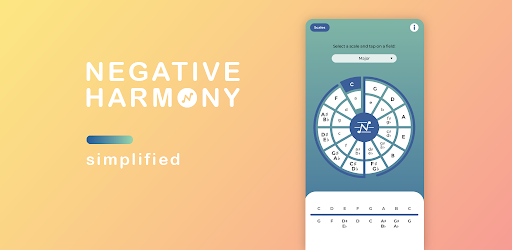

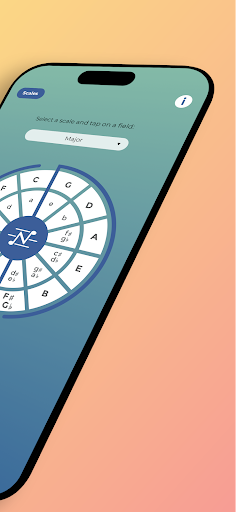
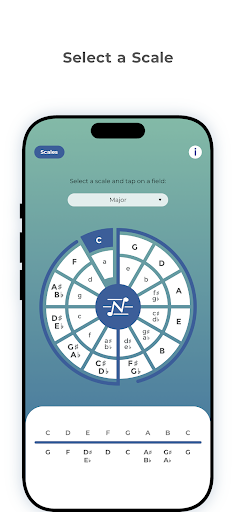
App Description
Discover Negative Harmony inside Scales, Modes & Chords
Negative Harmony is an app made to make the musical theory of negative harmony easier to understand and visualise.
• Selection of all western scales and modes
• Over 10 different chord types
• With sound examples for each chord (positive and negative)
• Diatonic note detection / Indicator for notes/chords outside of the scale
• Easy to understand UI design
The app shows in a clear and easy way to understand what are the notes inside the chosen scale/mode and their relative negative harmony while also representing this inside the circle of fifths with the blue axis showing the relationship between each note.
The negative harmony app consists of 2 pages (Scales and Chords).
The first page "Scales" gives the option of selecting a scale or mode and then tapping on a key inside the circle of fifths to display the selected combination. In doing so the app will display all of the notes inside the scale/mode and their negative harmony counterparts while also colouring the selected key and displaying the axis (the blue line separating the circle of fifths into two parts) to visually represent the musical theory behind the app and the negative harmony concept.
The second page "Chords" is made available after selecting the key and scale on the first page. Here the user is able to choose the desired chord type (major, minor, suspended, augmented...) and select the note from the chosen scale/mode which will then display the name of the selected chord, the notes inside the chord as well as the negative harmony chord name with the notes inside the "negative" chord. Chord notes displayed RED are non-diatonic (any notes or chords that are not native to the key).