Christmas Digital Watch Face
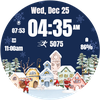

Christmas Digital Watch Face Summary
Christmas Digital Watch Face is a ad-supported Android app in Personalization by Filmmotion Studio. Released in Nov 2024 (1 year ago). It has about 29.8K+ installs and 225 ratings with a 3.91★ (average) average. Based on AppGoblin estimates, it reaches roughly 1.3K monthly active users and generates around $<10K monthly revenue (0% IAP / 100% ads). Store metadata: updated Feb 15, 2026, version 2.
Recent activity: 706 installs this week (1.7K over 4 weeks) showing steady growth View trends →
Data tracking: SDKs and third-party integrations were last analyzed on Mar 19, 2026. The app's network data flows (API traffic to/from the app and its SDKs) were last crawled on Jan 8, 2026.
Store info: Last updated on Google Play on Feb 15, 2026 (version 2).
Christmas Digital Watch Face was last scanned for SDKs 2026-03-19. Below is the overview of third party companies detected in the app. The full list of raw SDKs, app permissions and unknown SDKs is available here.
 Kotlin
 Google
 Square
 Bumptech
 Firebase
 Facebook
3.91★
Ratings: 225
Screenshots


App Description
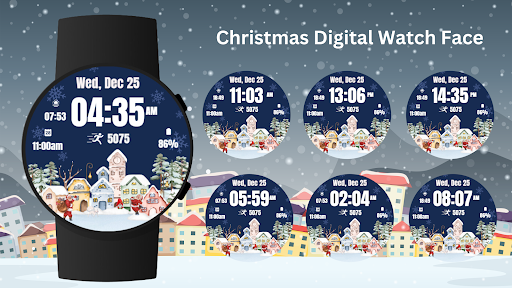
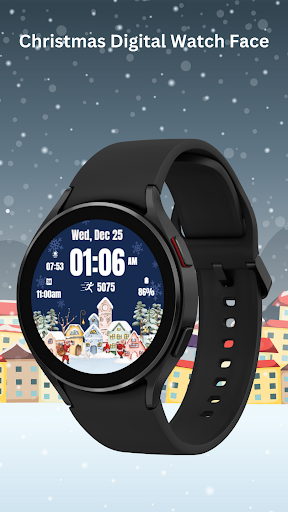
Digital Christmas Watch Face with festive village scene, time, date, and more !
Celebrate the holidays with the Christmas Digital Watch Face for Wear OS! This watch face features a charming winter village scene, along with customizable options for displaying time, date, steps, battery level, and more. Keep track of the season's joy while enjoying a beautifully crafted design right on your wrist.
Bring the warmth of the season to your Wear OS device with this delightful Christmas watch face!
⚙️ Watch Face Features
• Date, month and day of the week.
• Battery %
• Sunrise & Sunset
• Steps Counter
• Customizable Complications
• Ambient Mode
• Always-on Display (AOD)
• Long tap to customize
🎨 Christmas Digital Watch Face Customization
1 - Touch and hold display
2 - Tap on Customize option
🎨 Christmas Digital Watch Face Complications
Touch and hold display to open customization mode. You can customize the field with any data you want.
🔋 Battery
For better battery performance of the watch, we recommend disabling the "Always On Display" mode.
After installing the Christmas Digital Watch Face , follow these steps:
1. Open the Companion App on your phone.
2. Tap "Install on Watch".
3 .On your watch, select the Christmas Digital Watch Face from your settings or watch face gallery.
Your watch face is now ready to use !
✅ Compatible with all Wear OS devices API 33+ including such as Google Pixel Watch, Samsung Galaxy Watch etc.
Not suitable for rectangular watches.
Thank you !