Clinometer & Distance Calc

Clinometer & Distance Calc Summary
Clinometer & Distance Calc is a ad-supported Android app in Tools by FusionDev Apps. Released in Jun 2024 (1 year ago). It has about 2K+ installs Based on AppGoblin estimates, it reaches roughly 100 monthly active users and generates around $<10K monthly revenue (0% IAP / 100% ads). Store metadata: updated Jan 20, 2025.
Recent activity: 12 installs this week (40 over 4 weeks) showing below average growth View trends →
Store info: Last updated on Google Play on Jan 20, 2025 .
0★
Ratings: 0
Screenshots


App Description
Clinometer is a simple App to measure the inclination angles.
Clinometer is a simple App to measure the inclination angles of your device with respect to gravity's direction using the onboard accelerometers.
Clinometer Camera you can find angle of slopes of objects around like door, fan etc.
**Clinometer Measure angle
X = Yellow - The angle between the horizontal plane and the horizontal axis of the screen
Y = Yellow - The angle between the horizontal plane and the vertical axis of the screen
Z = Yellow - The angle between the horizontal plane and the axis that comes out perpendicular to the screen
Pitch = White - The angle between the contour line (inclined, white) and the reference axis (dashed, white) on the screen plane
Roll = White - The angle between the screen and the horizontal (or the pinned) plane
**Distance & Height calculator
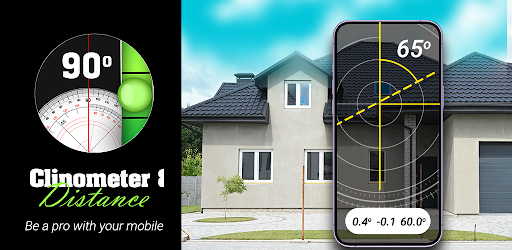
-> Calculate the approximate distance and height of an object using your phone camera.
-> Save your Distance/Height data as screenshot.
-> Share and delete screenshot functionality in our app.
**How to use Distance & Height Cal
-> Press 'H' button input the Height (H) of the Camera.
-> Press 'D' button and Target the phone camera at the BOTTOM of the object. The distance between you and the object would be measured.
-> Press 'T' button and Target the phone camera at the TOP of the object. The height of the object would be measured.
** Bubble level
-> The Bubble Level app is accurate & simple to use.
-> Hold any of the phone's four sides against an object to test it for level or lay it down on a flat surface for a 360° level.
-> Horizontal & vertical level tool
-> Manual calibration & reset functions