Multi Timer: concurrent timers


Multi Timer: concurrent timers Summary
Multi Timer: concurrent timers is a ad-supported Android app in Productivity by CobraApps. Released in May 2021 (5 years ago). It has about 10.1K+ installs and 40 ratings with a 4.29★ (good) average. Based on AppGoblin estimates, it reaches roughly 407 monthly active users and generates around $<10K monthly revenue (0% IAP / 100% ads). Store metadata: updated May 5, 2026.
Recent activity: 2.00 installs this week (93 over 4 weeks) showing steady growth View trends →
Store info: Last updated on Google Play on May 5, 2026 .
4.29★
Ratings: 40
Screenshots



App Description
Run multiple stopwatch and countdown timers simultaneously on your device
Multi Timers – Track Multiple Timers Easily
• Run a single timer or multiple timers at the same time
• Create reusable timer plans and presets
• Customize timer colors and display styles
• Set timers to auto-repeat
• Choose between countdown or stopwatch modes
• Continue using other apps while timers run in the background
Features:
• Start as many timers as you need, individually or via a saved plan.
• Set and adjust each timer’s duration (up to 9999 minutes) and assign names.
• Use timers as countdowns from a set time or as stopwatches counting up from 0.
• Save commonly used timers as presets for quick access.
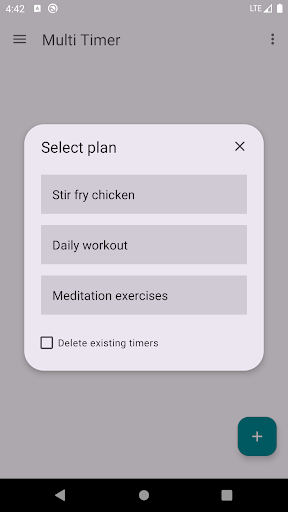
• Organize timers into plans, such as meal prep (a timer for each dish) or workouts (a timer for each exercise)
• View timers individually or multiple at once—ideal for large displays or casting.
• See countdowns at a glance: whole minutes remaining plus a visual indicator of partial minutes.
• Set timers to auto-repeat once or continuously, automatically, or after acknowledgment
• Choose how timers are displayed: standard digits or LCD style.
• Customize colors for running, expired, or stopwatch timers.
• Perform actions on one or several timers at once—start, stop, delete, or adjust.
• Adjust timers while they are running.
• Receive visual and sound notifications when timers expire, even when using other apps or when your device is locked.
• Select a notification sound from your device.
• Enable dark mode to save battery or for easier nighttime use.
• Timers continue running in the background, even if the app is closed or the device is rebooted.