Blur Video, Blur Square Video,


Blur Video, Blur Square Video, Summary
Blur Video, Blur Square Video, is a ad-supported Android app in Video Players by CodeEdifice. Released in Sep 2018 (7 years ago). It has about 133.2K+ installs and 210 ratings with a 1.56★ (poor) average. Based on AppGoblin estimates, it reaches roughly 1.1K monthly active users and generates around $<10K monthly revenue (0% IAP / 100% ads). Store metadata: updated Jan 16, 2026, version 2015.
Recent activity: 6.00 installs this week (40 over 4 weeks) showing steady growth View trends →
Data tracking: SDKs and third-party integrations were last analyzed on Apr 16, 2026.
Store info: Last updated on Google Play on Jan 16, 2026 (version 2015).
SDKs, Trackers & Permissions
Blur Video, Blur Square Video, was last scanned for SDKs 2026-04-16. Below is the overview of third party companies detected in the app. The full list of raw SDKs, app permissions and unknown SDKs is available here.
AppGoblin saw Blur Video, Blur Square Video, uses 6 Development Tools
 Google
 JetBrains IntelliJ
 Kotlin
 JetBrains
AppGoblin saw Blur Video, Blur Square Video, uses 1 Analytics: Product
 Firebase
AppGoblin saw Blur Video, Blur Square Video, uses 1 Ad Networks
AppGoblin saw Blur Video, Blur Square Video, uses 1 Mediation
 AdMob
AdMobApp Details
App Store
Ads & App-Ads.txt
AppGoblin SDK Scans
1.56★
Ratings: 210
Screenshots

App Description
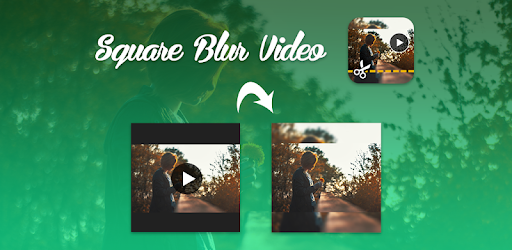
Convert your video in square size with blur background
Blur Square Video is use to create square size video with blur background. Now you can cut the video to the part you like and convert it into square video with blur background. This app allows you to square your video without cropping. Blur
Square Video is easy to use and free app to create square size video with blur background.
With this Blur Square Video you can easily create square size video without cropping. This application is so easy to use.
Features:
► Easily create square size video with blur background.
► Easily create square size video without cropping.
► Easily create square size blur video without music(Mute Video).
► You can also select your favorite part from video.
► You can also add your favorite music in video(Add Music).
► You can play your Blur Square Video.
►You can share these blur video's to social network like Facebook, Gmail etc.
► Save & Delete.
How to USE?
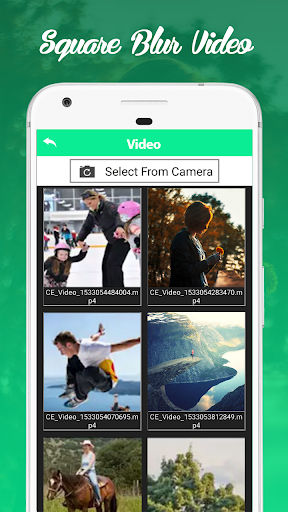
► Select videos from your Gallery / Camera
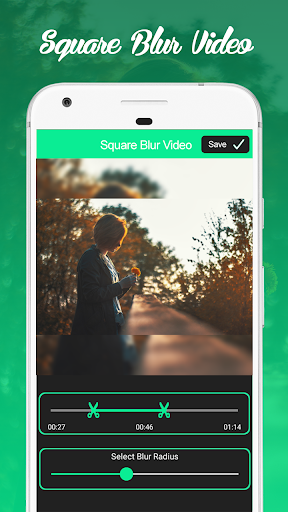
► Select your favorite part from video
► Select Background Blur Intensity
► Click on “Save” Button
► Select audio option (‘Original Audio’/Mute/‘select from gallery’)
► Click on “Ok” Button
► Wait for process completion
► Easily Share your Blur Square Video With your Friends