ColorSnap® Visualizer


ColorSnap® Visualizer Summary
ColorSnap® Visualizer is a free, ad-supported Android app in House And Home by Sherwin-Williams. Released in Apr 2011 (15 years ago). Store last updated Aug 22, 2023
SDK intelligence: AppGoblin detected 10 development tools(e.g. Google), 3 ad networks, 2 business tools, 1 analytics: attribution,and 1 analytics: product integrated into ColorSnap® Visualizer. View full SDK list →
Data tracking: The app's network data flows (API traffic to/from the app and its SDKs) were last crawled on Feb 8, 2026.
ColorSnap® Visualizer SDKs Summary
ColorSnap® Visualizer was last scanned for SDKs on 2026-01-25. Below is the overview of third-party companies detected in the app. The full list of SDKs, permissions and unknowns is available here.
 Google
 Facebook
 Vibes
Vibes Square
 Kotlin
 AppsFlyer
 Firebase
 Dynatrace
 Keepsafe
0★
Ratings:
Screenshots

App Description
“Try on” any Sherwin-Williams paint color with augmented reality or a photo.
Instantly see any Sherwin-Williams color on your own walls, in real time. With ColorSnap Visualizer’s Paint features, you can use augmented reality or a photo of your space, and tap the wall to change its color instantly. Other features let you match the colors in a photo and quickly get color details, like where to find it in our stores and what colors complement it. Get ready to make faster, more confident color decisions with ColorSnap—only from Sherwin-Williams. In addition to overall enhancements, you can now:
• Always get to the feature you want, using the Explore, Paint and Resources tabs at the bottom of your screen
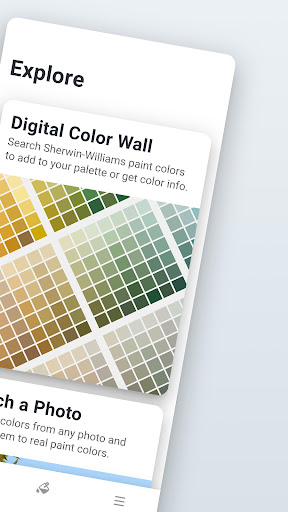
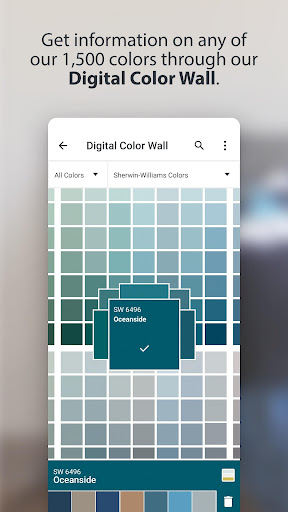
• In Explore see all our colors on the digital color wall, match a photo or scan a color number.
• In Paint see our colors in context with Instant Paint or Paint a Photo.
• In Resources to find a store, figure out how much paint you need and log into mySW to see any colors you’ve saved, even if you did it on your computer or tablet.
• More easily create, save and share your own paint color palettes
• Quickly share images of rooms you’ve “painted” in the app