Regex Search Expert


Regex Search Expert Summary
Regex Search Expert is a ad-supported, with in-app purchases Android app in Tools by Complete_Apps. Released in May 2021 (5 years ago). It has about 2.5K+ installs Based on AppGoblin estimates, it reaches roughly 118 monthly active users and generates around $<10K monthly revenue (43% IAP / 57% ads). Store metadata: updated May 11, 2025.
Recent activity: 7.00 installs this week (31 over 4 weeks) showing below average growth View trends →
Store info: Last updated on Google Play on May 11, 2025 .
3.88★
Ratings: 0
Screenshots

App Description
Regex Search, replace and save
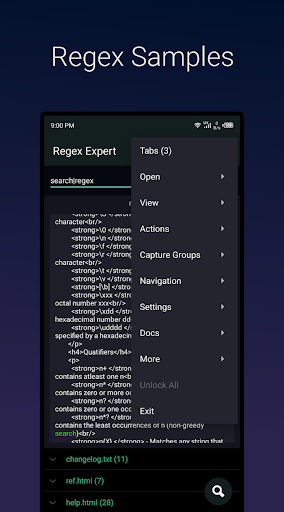
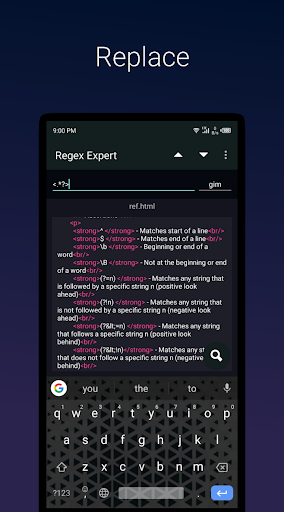
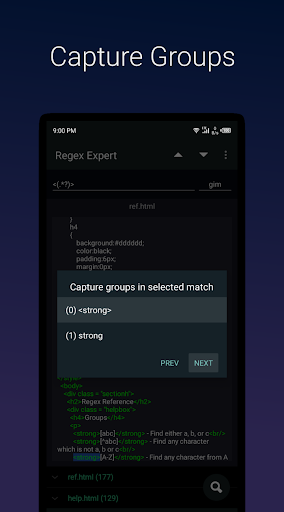
Regex Expert searcher is an app that use regular expressions to search across multiple text files. Can also be used as a regex tester, where you input some text and match against a pattern. This file searcher app also allows one to replace found matches in all files with a replacement text and save them in new files. RegEx searcher uses Java and JavaScript engine to perform search. Navigation is efficient in this file searcher app as one needs just to swipe in order to move to next or previous tab. It also has a unique feature called regional search with enables one to select only a potion of the text in file that is to be searched using regular expressions. It is also possible to filter some specific capture groups from being visible in the matches and also in replacement. Reg Ex search also enables one to save patterns for future use. Enable auto search to match regular expressions while you type. Regex search app for android also has a cheat sheet to look down metacharacters, modifiers and quantifiers.
Usage
As regex tester
- After opening app, enter some sample text in the text input box then enter some pattern in the search box then click search floating button
As a multi file search
- Open app, then open menu , click file, select a file, repeat the same to select other files, then enter your pattern in regex box then click search floating icon to search in all files
Outline of features
- Multi tab
- Regional search
- Filter capture groups
- Set matches limit
- Swipe to switch tabs
- Floating search button
- Save regex patterns
- Auto match while typing
- Literal search
- Regex tester
- Regex cheatsheet
- Search limit
- Search offset