Cover Photo Maker - Banners &

Cover Photo Maker - Banners & Summary
Cover Photo Maker - Banners & is a ad-supported, with in-app purchases Android app in Photo And Video by Photo Cool Apps. Released in Sep 2017 (8 years ago). It has about 3.9M+ installs and 93.4K ratings with a 4.70★ (excellent) average. Based on AppGoblin estimates, it reaches roughly 3.7K monthly active users and generates around $<10K monthly revenue (28% IAP / 72% ads). Store metadata: updated Jan 4, 2024, version 27.
Recent activity: 56 installs this week (232 over 4 weeks) showing steady growth , and -5 new ratings this week View trends →
Advertising: AppGoblin detected 1.00 monetized ad creatives shown inside the app.
Data tracking: SDKs and third-party integrations were last analyzed on May 9, 2026. The app's network data flows (API traffic to/from the app and its SDKs) were last crawled on May 26, 2026.
Store info: Last updated on Google Play on Jan 4, 2024 (version 27).
SDKs, Trackers & Permissions
Cover Photo Maker - Banners & was last scanned for SDKs 2026-05-09. Below is the overview of third party companies detected in the app. The full list of raw SDKs, app permissions and unknown SDKs is available here.
AppGoblin saw Cover Photo Maker - Banners & uses 3 Development Tools
 Bumptech
 Google
 Kotlin
AppGoblin saw Cover Photo Maker - Banners & uses 1 Analytics: Product
 Firebase
AppGoblin saw Cover Photo Maker - Banners & uses 1 Ad Networks
AppGoblin saw Cover Photo Maker - Banners & uses 1 Mediation
 AdMob
AdMobApp Details
App Store
Ads & App-Ads.txt
AppGoblin SDK Scans
4.7★
Ratings: 93.4K
Screenshots


App Description
Create Stunning Cover Photos with Ease.
Design Cover photos Art in a snap.
Social Media Cover photos for Facebook, YouTube are like handshakes: they provide a first impression that can either be positive or negative. Is your cover photo encouraging viewers to keep reading your profile or contributing to a lack of energy that causes visitors to quickly navigate away?
Cover Photo Maker Post is an app specifically for designing social media posts. With one click, you can select sizing that's perfectly scaled for a Facebook cover photo, so you don't have to hassle with resizing an image.
This Cover photo maker for Facebook is super fast and super easy, making it ideal for those with little design experience. In seconds you'll have a sleek, professional cover photo to boost your Facebook's image.
How to make a cover photo
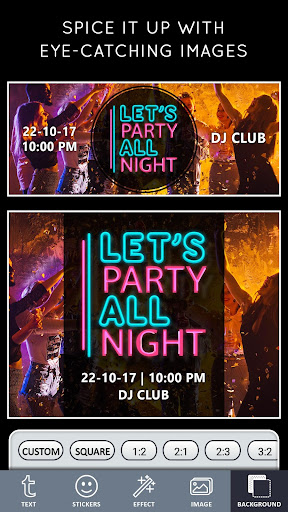
1. Spice it up
Now get creative by click on "Background". Either upload your own photo, choose one of thousands of stock images, or go with a solid color. Choose a theme that fits your brand.
2. Select the size (ratio) as per your needs
Select the Size you want - or choose a ratio. Like for Instagram choose 1:1 , for Facebook cover page choose - Cover Size. ( There are more than 10 presets that almost fit for every need but you also have a choice for Custom Cover Photos - choose custom size.)
3. Add an eye-catching images and stickers.
Keep it simple and elegant - choose from 100s of stock stickers or you can select your own images. Change their Hue, size it and place it on the backgrounds.
4. Amp up your message with fonts
Every good banner/Cover Photo needs compelling typography. Select "Text", Write your message. Then you can change - Text Fonts ( 100's of beautiful fonts for free), color, Curve Text, Shadow, Size and much more.
5. Spread the word
Once you've tweaked and tinkered to your heart's desire and you feel satisfied with your image, it's time to share it with the world. Click the "Share" button at the top of the page and you can download your graphic, then upload it as your Facebook cover photo.
Ready to give your Facebook / YouTube channel / Business a face-lift? Try out Cover Photo Maker, Post and design free covers for Facebook that will boost your image and help you further your brand.
- Beautiful typography
Choose from a variety of free professionally designed fonts for every occasion.
- Iconic Backgrounds/Stickers/Art
Select f