Emoji Keyboard 6


Emoji Keyboard 6 Summary
Emoji Keyboard 6 is a ad-supported Android app in Personalization by Barley WorkShop. Released in Feb 2014 (12 years ago). It has about 5.6M+ installs and 53.5K ratings with a 4.15★ (good) average. Based on AppGoblin estimates, it reaches roughly 2.7K monthly active users and generates around $<10K monthly revenue (0% IAP / 100% ads). Store metadata: updated Feb 24, 2024, version 92.
Recent activity: 161 installs this week (629 over 4 weeks) showing steady growth , and -54 new ratings this week View trends →
Advertising: AppGoblin detected 1.00 monetized ad creatives shown inside the app.
Data tracking: SDKs and third-party integrations were last analyzed on Apr 12, 2026. The app's network data flows (API traffic to/from the app and its SDKs) were last crawled on May 26, 2026.
Store info: Last updated on Google Play on Feb 24, 2024 (version 92).
SDKs, Trackers & Permissions
Emoji Keyboard 6 was last scanned for SDKs 2026-04-12. Below is the overview of third party companies detected in the app. The full list of raw SDKs, app permissions and unknown SDKs is available here.
 Google
 PubNative
 AdMob
AdMob Firebase
 Google Analytics
App Details
App Store
Ads & App-Ads.txt
AppGoblin SDK Scans
4.15★
Ratings: 53.5K
Screenshots


App Description
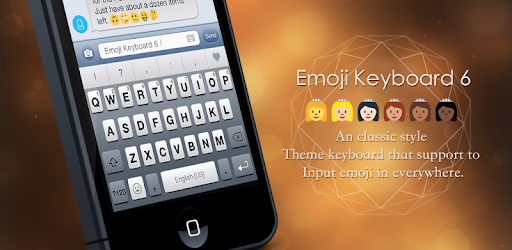
an classical style emoji keyboard 6, you can input and share emoji in anywhere.
Note: If you do not need install apk, you can try an online emoji keyboard: http://goo.gl/ML1j5J
It is an classic style theme keyboard that support to input emoji in everywhere(like in Facebook), you can see the beautiful keyboard UI and input emoji very convenient.
Features:
- Classic style keyboard UI.
- Gesture slide input.
- Input Emoji in any apps, Just 1st page for each type in free version.
- Support the suggestion of English/French/Italian/Spanish language input.
- ...
Importan Notes:
If you are S3/S2 or other samsung device and can't see black and white emoji. you can try to install an font. it is free:
- http://goo.gl/aiSx9r
- Then select font: System Setting > Display > Font Style, then select Emoji.
How to enable it?
- Open this app.
- Click the "Enable emoji keyboard", then enable the it in the system input settings.
How to set it as default keyboard:
- Open the app.
- Click the "Set default keyboard", you can change an input as default keyboard.
Why I can't see emoji?
- if your android is under 4.1, maybe you can't see any, please contact with me.
- only most part can support by android, but all apple devices can see all.