EVA Facial Mouse PRO


EVA Facial Mouse PRO Summary
EVA Facial Mouse PRO is a ad-supported, with in-app purchases Android app in Tools by CREA Software Systems. Released in Apr 2020 (5 years ago). It has about 1.4M+ installs and 2.6K ratings with a 3.74★ (average) average. Based on AppGoblin estimates, it reaches roughly 51.9K monthly active users and generates around $<10K monthly revenue (67% IAP / 33% ads). Store metadata: updated Jan 21, 2025.
Recent activity: 1.8K installs this week (53.2K over 4 weeks) showing steady growth , and 6.00 new ratings this week View trends →
Data tracking: SDKs and third-party integrations were last analyzed on Apr 26, 2025.
Store info: Last updated on Google Play on Jan 21, 2025 .
EVA Facial Mouse PRO was last scanned for SDKs 2025-04-26. Below is the overview of third party companies detected in the app. The full list of raw SDKs, app permissions and unknown SDKs is available here.
 Kotlin
 Greenrobot
 Google
 ReactiveX
 Firebase
 AdMob
AdMob3.74★
Ratings: 2.6K
Screenshots

App Description
Control your smartphone without hands by just moving your face
EVA tracks your face movements using the front camera and artificial vision techniques. A mouse pointer allows you to control all the actions of your device.
FEATURES
• HANDS-FREE. Use your smartphone by just moving your head without touching the screen.
• NO ADDITIONAL HARDWARE. EVA leverages all the power of your smartphone camera and processor.
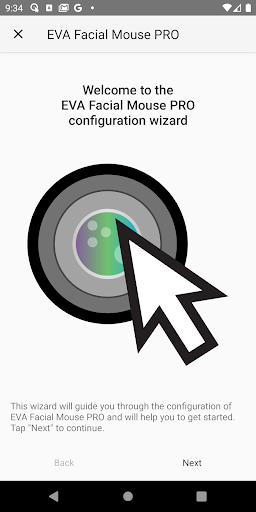
• EASY TO USE. The configuration wizard guides you after the installation to get started as soon as possible.
• GESTURE GENERATION. You can perform the most common gestures (e.g. tap, double-tap, long press, swipe, and pinch) to control your device.
• VOICE COMMANDS. Use your voice to directly execute most actions without using the menus.
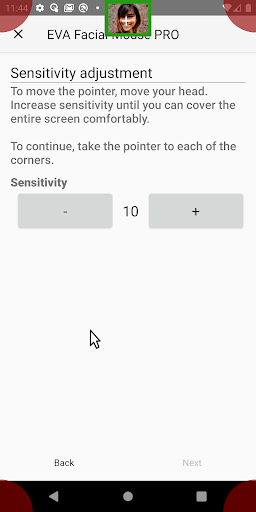
• CUSTOMIZABLE. Pointer speed, motion acceleration and smoothness, dwelling time, and many other variables can be adjusted to fit your needs.
HOW IT WORKS?
1. The frontal camera of your smartphone or tablet detects your face and tracks it accurately. The motion of your head is used to move a pointer on the screen.
2. Once the pointer is stopped, it starts a countdown and the click is performed when the dwell time is over.
3. An on-screen menu allows you to choose the desired gesture or another action to perform. You can go back or home, open notifications, show running apps, zoom in and out, scroll contents and perform swipe or pinch gestures, for instance.
FOR WHOM IS INTENDED?
EVA is intended for those people who cannot use a touchscreen. For instance, some people with amputations, cerebral palsy, spinal cord injury, muscular dystrophy, multiple sclerosis, amyotrophic lateral sclerosis (ALS) or other disabilities may benefit from this app.
AccessibilityService API use
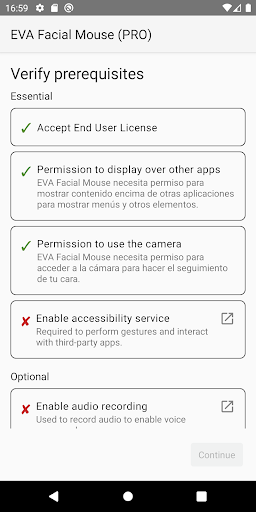
This app uses the AccessibilityService API in accordance with the Accessibility API Policy. This API is essential to provide the accessibility features of this app, namely, performing the gestures required by the user.
----------------------------------------------
EVA Facial Mouse PRO is based on EVA Facial Mouse.
EVA Facial Mouse was developed with the support of the Spain Vodafone Foundation.