Happy Garden - pets games

Happy Garden - pets games Summary
Happy Garden - pets games is a ad-supported, with in-app purchases Android app in Casual by Cross Field Inc.. Released in Jun 2016 (10 years ago). It has about 271.9K+ installs and 9K ratings with a 4.50★ (excellent) average. Based on AppGoblin estimates, it reaches roughly 5.6K monthly active users and generates around $<10K monthly revenue (23% IAP / 77% ads). Store metadata: updated Nov 21, 2025.
Recent activity: 21 installs this week (97 over 4 weeks) showing steady growth , and -3 new ratings this week View trends →
Store info: Last updated on Google Play on Nov 21, 2025 .
4.5★
Ratings: 9K
Screenshots

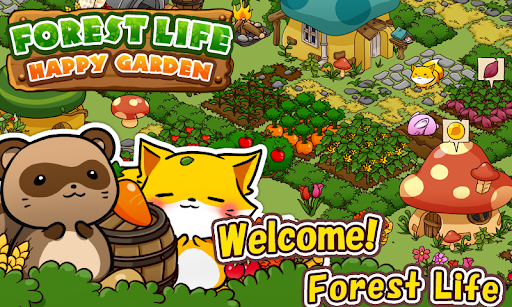

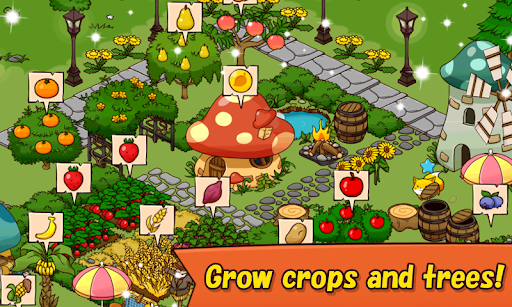
App Description
Forest animals gather in a big event. The highly popular miniature garden game.
'Happy Garden' is a miniature garden game where you can create your own garden with animals.
■ Various ways to play:
Collect coins from lovely homes.
Harvest crops and fruits from fields and trees.
Obtain recipes and cook for the animals.
Fulfill the requests of the animals.
Collect unique and adorable animals as companions.
Decorate freely like a miniature garden game.
Advance through puzzles and collect animals.
■ Recommended for:
People who love animals and cute buildings.
Fans of city-building games.
Those who enjoy farm games and miniature garden games.
People who love animal games and raising animals.
■ About data transfer:
From the settings screen of your old device, issue a 'Transfer Code' and 'Serial Code,' and then input them into the settings screen of your new device to complete the data transfer process.
For Android⇔iOS transfers, please contact us with the respective 'Serial Codes' of both old and new devices, as our assistance is required.
■ If the app does not start, please restart your device or close the app once from the task manager.
■ When contacting us for support, please provide the information of your device and Gmail address.