삼성생명


삼성생명 Summary
삼성생명 is a mobile Android app in Finance by 삼성생명. Released in Aug 2010 (15 years ago). It has about 5.9M+ installs and 7K ratings with a 2.50★ (poor) average. Based on AppGoblin estimates, it reaches roughly 493.7K monthly active users . Store metadata: updated Oct 30, 2025, version 341.
Recent activity: 11K installs this week (38.5K over 4 weeks) showing steady growth , and 1.00 new ratings this week View trends →
Data tracking: SDKs and third-party integrations were last analyzed on May 7, 2026.
Store info: Last updated on Google Play on Oct 30, 2025 (version 341).
삼성생명 was last scanned for SDKs 2026-05-07. Below is the overview of third party companies detected in the app. The full list of raw SDKs, app permissions and unknown SDKs is available here.
 JetBrains
 Google
 Bumptech
 JetBrains IntelliJ
 Firebase
2.5★
Ratings: 7K
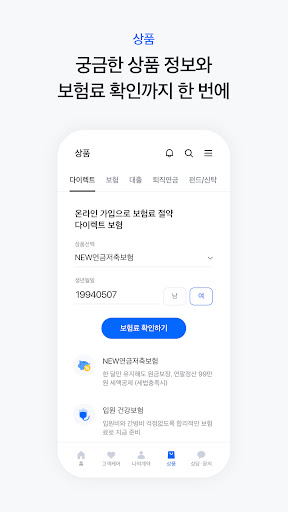
Screenshots


App Description
Samsung Life, renewed by the customer's eye level, experience new insurance now.
Samsung Life Insurance has been redesigned to meet the needs of our customers. Experience the new insurance experience now.
1. Use, Browse, Search
The Samsung Life Insurance mobile app has been completely revamped, stripping away unnecessary elements, filling it with a more organized menu, and focusing on the customer.
2. Safe and Convenient with Various Authentication Methods
Say goodbye to inconvenient sign-ups.
You can use your preferred authentication method: simple password, Kakao Pay, or biometric (fingerprint) authentication.
3. Financial Services Without a Branch Visit
You can safely access over 120 financial services without visiting a branch.
4. New Insurance, No More Difficult
Turn difficult insurance into new insurance! With Life Magazine, insurance is no longer difficult.
① Why do I need insurance? How do I prepare for it? Which insurance is right for me?
② Share products you're interested in and Life Magazine articles you find relatable.
5. Check out Samsung Life Insurance's new features
① Even if you're not the policyholder, you can check your contract status and file an accident insurance claim.
② Easily apply for a mobile mortgage loan.
③ Signing up for an IRP has become much easier and more convenient. Furthermore, even if you haven't completed your application, you can continue applying within the same day using the same information you entered.
④ New fund customers! Now, you can purchase new funds through non-face-to-face authentication on the mobile app without visiting the Customer Plaza.
App Access Permissions Guide
In accordance with the amendments to the Act on Promotion of Information and Communications Network Utilization and Information Protection and its Enforcement Decree, we inform you of the access permissions used by the Samsung Life Insurance mobile app as follows:
[Required Access Permissions]
1. Call Status Management, Phone
This process reads the general phone status and is used for network communication checks, push messages, multiple login prevention, and device-specific services.
2. Access to device photos, media, and files
Disk access is used for authentication certificate logins and authentication certificate transfers (reading, copying).
3. Investigation of credit-related violations (preventing voice phishing damage to Samsung Life Insurance app users by detecting malicious apps)
Malicious app detection information, diagnostic information on detected malicious apps.
[Optional Access Permissions]
1. Camera
This is used to capture required documents or retrieve images from the gallery for accident insurance claims or voice conversion services.
2. Location Information
This is used to guide you to nearby Samsung Life Insurance branches based on your location.
※ You can still use the app without consenting to optional access permissions, but some features may be restricted. ※ You can consent to or withdraw optional access rights in Apps > Settings > Applications > Samsung Life Insurance > Permissions (Android 6.0 or higher), or Samsung Life Insurance Mobile App Full Menu > Settings (Android 6.0 or lower).