Strike War: Counter Online FPS


Strike War: Counter Online FPS Summary
Strike War: Counter Online FPS is a ad-supported Android app in Action by TNR Technology. Released in Jun 2016 (9 years ago). It has about 6.1M+ installs and 42.5K ratings with a 3.63★ (average) average. Based on AppGoblin estimates, generates around $10K+ monthly revenue (0% IAP / 100% ads). Store metadata: updated May 28, 2023, version 23.
Recent activity: -2578683 installs this week (34.3K over 4 weeks) showing exceptional growth , and -23 new ratings this week View trends →
Data tracking: SDKs and third-party integrations were last analyzed on Apr 22, 2026.
Store info: Last updated on Google Play on May 28, 2023 (version 23).
Strike War: Counter Online FPS was last scanned for SDKs 2026-04-22. Below is the overview of third party companies detected in the app. The full list of raw SDKs, app permissions and unknown SDKs is available here.
 Firebase
 Unity
Unity Google
 Kotlin
 AdMob
AdMob3.63★
Ratings: 42.5K
Screenshots

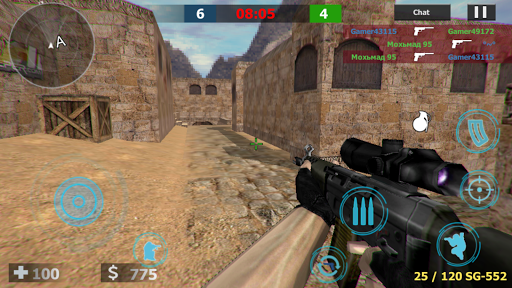
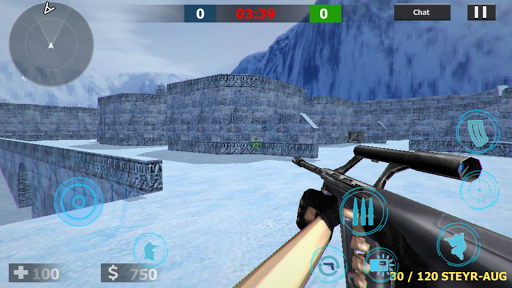
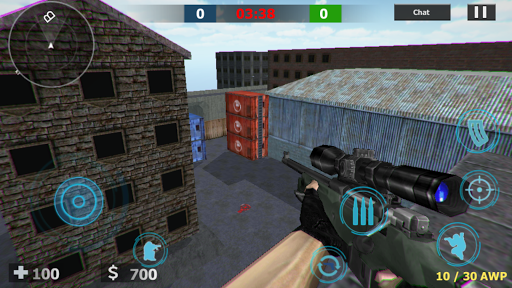
App Description
Strike War: Counter Online FPS The Legendary Game
Strike War: Counter Online FPS is a beautiful online multiplayer shooter game. Legendary sections, all the maps you love playing in this game ..
How to Play?
First you need to enter your player name at the first login.
You can then select the language and enter it more clearly.
If you want to install a new game, click on the Install new room button.
If you want to enter any room, click on the Enter random button.
When you enter the game you will come across buttons to select the team you want to select the team, you can start the game.
When the game starts, you will see the text market grocery store için for a second.
Each point you hit while shooting the enemy in the game decreases different money and lives.
If the other players lose while 2 teams are playing, they must wait for the players in progress. You can repeat the game faster by informing the player in the chat area from the camera area.
How to Install a Private Room?
If you want to play privately with your friends, activate the private room option when installing new games. The only thing you need to pay attention to is the name of your room and the password. You'll have to tell your friends the name of your room. Because the game you set up in the room list will not appear. Your friends who will enter the game by entering the room name in the first entry to the game by clicking the button given to him by entering the room name can be connected directly to your game. (Do not make your room name simple words. It can be entered by different users.)
Strike War: Counter If you want other online maps to be added to our online FPS game, you can support it by giving it 5 stars immediately. We wish you good games!