Brightspace Pulse


Brightspace Pulse Summary
Brightspace Pulse is a free Android app in Education by D2L Corporation. Released in Aug 2015 (11 years ago). It has about 3.7M+ installs and 28K ratings with a 4.64★ (excellent) average. Based on AppGoblin estimates, it reaches roughly 53K monthly active users . Store last updated Jul 28, 2026
Recent activity: 21K installs this week (76K over 4 weeks) showing exceptional growth , and 146 new ratings this week View trends →
SDK intelligence: AppGoblin detected 13 development tools(e.g. Google), 1 ad networks,and 1 analytics: product integrated into Brightspace Pulse. View full SDK list →
Data tracking: The app's network data flows (API traffic to/from the app and its SDKs) were last crawled on Sep 27, 2026.
Brightspace Pulse SDKs Summary
Brightspace Pulse was last scanned for SDKs on 2026-08-16. Below is the overview of third-party companies detected in the app. The full list of SDKs, permissions and unknowns is available here.
 Google
 Facebook
 Square
 React Native
 Firebase
4.64★
Ratings: 28K
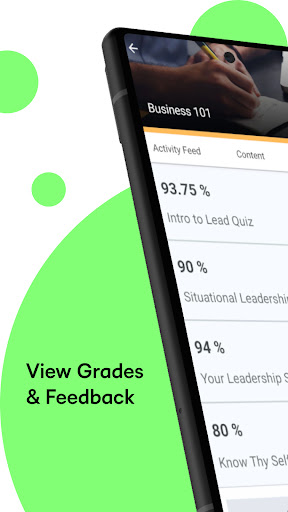
Screenshots



App Description
Stay on top of learning, deadlines, updates, and progress all in one app.
Stay connected to learning anytime, anywhere with Brightspace Pulse.
Brightspace Pulse gives learners and their authorized parents and guardians a convenient way to follow coursework, deadlines, progress, and important updates.
Learners can:
- Access their course content
- View important dates and deadlines across their courses
- Manage upcoming and overdue coursework
- Receive notifications for Announcements, Grades, Quizzes, Assignments, Activity Feed posts, and more
- Access supported course content offline, including video and audio
- Participate in Activity Feed discussions
- Open Brightspace in a browser to complete additional activities
Parents and guardians can:
- View upcoming and overdue work, grades, shared Portfolio items, and classroom updates
- Receive notifications about quizzes and assignments with upcoming due dates
- Follow multiple learners from one account, when supported by their school or organization
Features vary by role and by your institution or organization's Brightspace configuration. An account provided by your school, district, or organization is required. Parent and guardian access must be enabled by the learner's school or organization.