Diamond Maps Offline


Diamond Maps Offline Summary
Diamond Maps Offline is a mobile Android app in Maps And Navigation by Benjamin Hill. Released in Aug 2019 (6 years ago). It has about 4.5K+ installs and 23 ratings with a 4.48★ (good) average. Based on AppGoblin estimates, it reaches roughly 255 monthly active users . Store metadata: updated Mar 16, 2026.
Recent activity: 29 installs this week (121 over 4 weeks) showing steady growth View trends →
Store info: Last updated on Google Play on Mar 16, 2026 .
4.48★
Ratings: 23
Screenshots
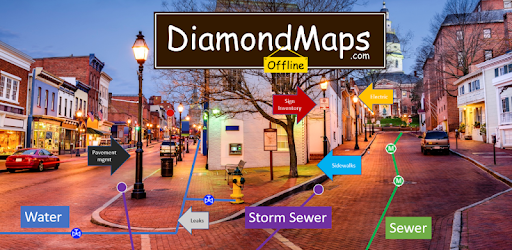


App Description
Offline viewer and data collector app for DiamondMaps.com users
Diamond Maps Offline is an app that allows DiamondMaps.com users to download their maps from the cloud to their Android phone or tablet for use offline. Using this app you can view and edit your maps without the need for an internet connection. The app also allows you to collect new points, take pictures, directly connect to a Bluetooth GPS/GNSS devices (no need for mock locations), and then upload all of your changes to the DiamondMaps.com server for everyone else on your team to view.
The regular browser-based application is still the flagship product where you must go to create layers, change colors, modify your field layout, draw lines, etc. The offline app is a less functional version that allows you to do basic data collection and viewing offline.
How it works
1. If you haven't done so already, create an account at DiamondMaps.com and setup your map with the desired layers, data fields, colors, and symbols.
2. Install this app on your tablet or phone.
3. Enter your diamondmaps.com user name and password into the app
4. Select which map(s) you want to download to your phone/tablet.
5. Open your map, view it, make changes, add new points, etc.
6. When you are ready to upload your changes click Menu, then click Offline Maps, then click the 'Sync' button next to your map name. This will upload your edits and download any changes that others have made.