CalibCat: Display Calibration


CalibCat: Display Calibration Summary
CalibCat: Display Calibration is a with in-app purchases Android app in Productivity by DIGITCUP. Released in Jan 2024 (2 years ago). It has about 40+ installs Based on AppGoblin estimates, it reaches roughly 2.00 monthly active users and generates around $<10K monthly revenue (100% IAP / 0% ads). Store metadata: updated Jan 27, 2024.
Store info: Last updated on Google Play on Jan 27, 2024 .
0★
Ratings: 0
Screenshots

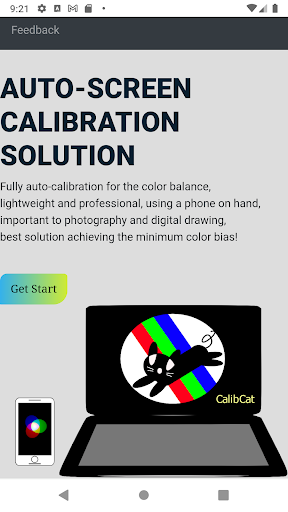

App Description
Fast & auto calibrate the displays for color balance (A must for photography!)
[Before Installation]
- Note that the app is to calibrate the screen of the notebook/desktop/tablet rather than the screen of the phone.
- To use the app, first, you need a desktop app called CalibCat Display. (CalibCat Display has its own other features; please check its page for details.)
- Please note that the automatic calibration is not free. To distinguish it from freemium, a small convenience fee is charged to download the app. To use the major function of the automatic calibration, users need to first refill quotas through the in-app purchase, the price of which is listed in the in-app purchase section (with discounts for variant packs). Please Check the CalibCat website for details.
- If you lost quotas due to initial unfamiliar operations, feel free to ask us for help through the report on our website.
- Thanks for your support so that we can maintain the service.
[About CalibCat]
Screen calibration is important for the daily use of computers while critical to digital painting, photo manipulation, graphic design, character drawing, environment modeling, as well as other photography and video editing works - No matter for a professional, an amateur, or a learner, a calibrated screen without color bias can be essential.
- Do you just get a new laptop or a second-hand one but feel troubled about the color on the screen?
- Do you worry if the color you see on the screen is different from that on your colleagues' or customers’?
- Do you want to tune your screen to match consistent color standards with minimal bias?
If so, you should calibrate your screen right away!
However, manual adjustment /calibration can be time-consuming, lack uniform measure, and tricky. Because human eyes are good at adapting to the environment, in many scenarios, people can not be sure if it is the same color that they picked the last time precisely. On the other hand, purchasing dedicated calibration hardware requires extra expenses and waiting time and can cost more than a high-spec display.
To save your time and multi-path attempts, we introduce CalibCat as a fast auto-calibration solution, in which we bring state-of-the-art research results and provide affordable schemes for the general public.
Before installing the app, make sure you have 1) a functional camera on the iPhone/iPad and 2) a counter-part desktop software (CalibCat