Click Counter Tally App


Click Counter Tally App Summary
Click Counter Tally App is a ad-supported, with in-app purchases Android app in Tools by DilongDann. Released in Feb 2024 (2 years ago). It has about 149.9K+ installs and 337 ratings with a 3.00★ (mixed) average. Based on AppGoblin estimates, it reaches roughly 7.2K monthly active users and generates around $<10K monthly revenue (34% IAP / 66% ads). Store metadata: updated May 29, 2026.
Recent activity: 433 installs this week (1.5K over 4 weeks) showing below average growth , and 2.00 new ratings this week View trends →
Store info: Last updated on Google Play on May 29, 2026 .
3★
Ratings: 337
Screenshots
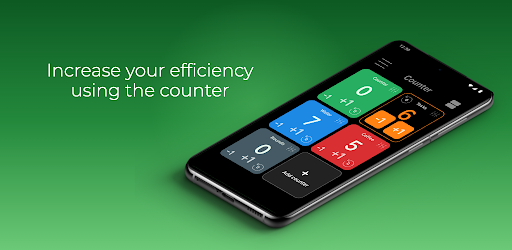

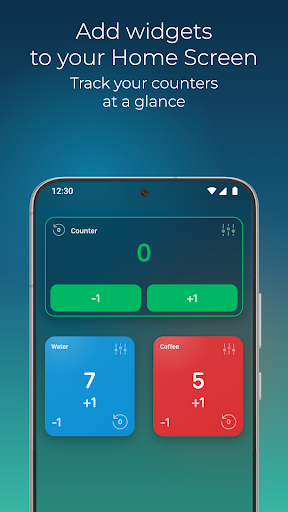

App Description
Count with widgets, multiple counters, auto reset and push reminders
Click Counter Tally App is a fast counter app for counting anything: clicks, numbers, points, people, habits, workouts, inventory, events, votes, goals, and daily tasks. Use it as a tally counter, number counter, score counter, people counter, tap counter, or widget counter whenever you need a simple and flexible counting tool.
Key Features
• Multiple Counters
Create and use several counters at the same time from the main page. Keep separate counters for different tasks, projects, events, exercises, or goals.
• Quick Reset From Each Counter
Reset a counter value easily when you need to start again. Manage your count without opening extra menus or losing time.
• Counter Widgets
Add widgets to keep your most important counters visible. Widget counters stay synchronized with the app so your numbers are always up to date.
• Automatic Reset
Schedule an automatic reset for a specific day and time. Perfect for daily habits, weekly goals, recurring events, stock checks, attendance, or task tracking.
• Automated Operations
Run automatic operations at planned moments. Add, subtract, multiply, or divide values with less manual work and keep your counters accurate.
• Push Notifications
Receive push reminders and alerts when a counter needs attention, reaches a goal, or has an important scheduled action.
• Organize Your Counters
Rename counters, change colors, and reorder positions so the counters you use most are always easy to find.
• Simple Arithmetic
Use plus, minus, multiply, and divide operations to update numbers quickly. Count by one tap or enter exact values when precision matters.
Use Counter for exercise reps, inventory, attendance, score tracking, event counting, votes, habits, goals, daily routines, finance tracking, and any situation where a reliable counting app helps.
Download Counter and make every count easier with multiple counters, widgets, automation, reset schedules, and push notifications.