WiFi Router Admin & Analyzer


WiFi Router Admin & Analyzer Summary
WiFi Router Admin & Analyzer is a ad-supported Android app in Tools by Dinal Inc. Released in Apr 2023 (3 years ago). It has about 5.4K+ installs Based on AppGoblin estimates, it reaches roughly 408 monthly active users and generates around $<10K monthly revenue (0% IAP / 100% ads). Store metadata: updated Aug 5, 2025.
Recent activity: 69 installs this week (231 over 4 weeks) showing below average growth View trends →
Store info: Last updated on Google Play on Aug 5, 2025 .
3.99★
Ratings: 0
Screenshots
App Description
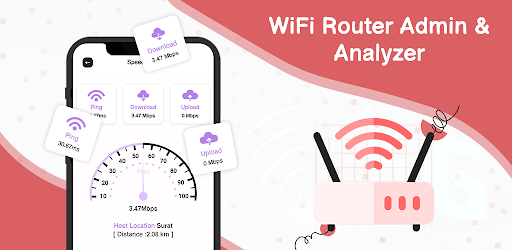
WiFi Router Admin & Analyzer is best to detect best WiFi Signal around your area
WiFi Router Admin & Analyzer can view your current WiFi Signal strength and detect the best WiFi Singal around your area.
This WiFi Router Admin & Analyzer has all the latest tools which are available to detect any strongest WiFi Signal around you.
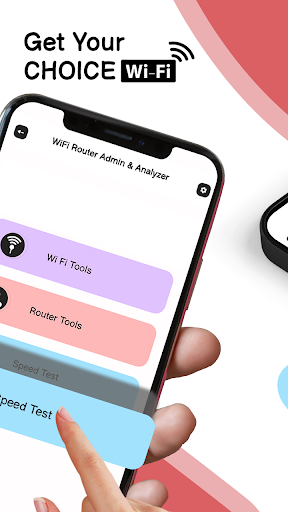
Find all the latest tools like WiFi tools, Router tools, and speed testers.
This WiFi Tool has personalized with considering to WiFi tools settings which are helpful for any user.
Such useful WiFi tools are mentioned below:
# WiFi Tool: Find all wifi tools like WiFi Setting and Network Information
WIFI SETTING:
Change the wifi setting according to your need and remove the password to protect from unwanted wifi users.
take advantage of all useful tools which are also helpful to make strong your wifi and also allow you to change the setting of your wifi
1) WiFi Strength:
This tool can help you find your WiFi network's accurate wifi signal strength.
The WiFi Signal Meter app is a simple tool that allows you to view your current WiFi signal strength.
2) WiFi History:
Easy to scan and view the list of WiFi signals history nearby your area and find the perfect frequency of every scanned network.
3) WiFi Users:
Start to scan wifi and see who used your current wifi connections. just one tap and find the details of every device's IP address, mac address, or also the name of the device.
easy to copy the mac address and manage it.
4) IP Host Converter:
Easy to find the IP address and also hostname with one click via this tool, just apply your IP address and find the hostname or also apply any hostname and
find IP details with this IP Host Converter tool.
NETWORK INFORMATION:
1)Network Configuration:
Find all the network information like network configuration with IP Address, gateway, and external IP address of your current wifi network.
2)IP Information:
Just one click and view the list of current IP information like Signal name, speed, city name, region, country, timezone, coordinate, SSID, hostname, BSSID,
network ID, and many more
3)Ping Tool:
Ping Tool offers network monitoring capability from your android mobile. You can get a complete view of what is happening across your WiFi by applying the hostname or
IP address.
4)Port Scanner:
This tool lets you scan ports on a remote host via its IP or domain name so you can know which ports are open on the host.
# ROT