Grocery Helper - Lite


Grocery Helper - Lite Summary
Grocery Helper - Lite is a ad-supported Android app in Productivity by DotNetIdeas. Released in Sep 2011 (14 years ago). It has about 5.3K+ installs and 20 ratings with a 1.00★ (poor) average. Based on AppGoblin estimates, it reaches roughly 536 monthly active users and generates around $<10K monthly revenue (0% IAP / 100% ads). Store metadata: updated Jul 9, 2025.
Recent activity: 1.00 installs this week (1.00 over 4 weeks) showing steady growth View trends →
Store info: Last updated on Google Play on Jul 9, 2025 .
1★
Ratings: 20
Screenshots

App Description
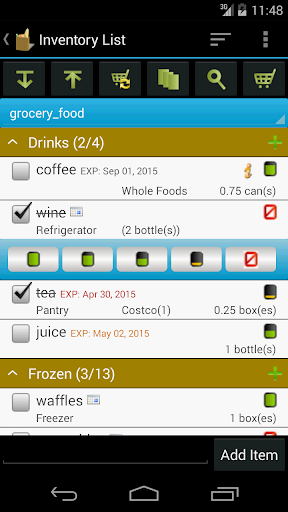
Clear & fast inventory with visual indicators. Quick shopping list creation.
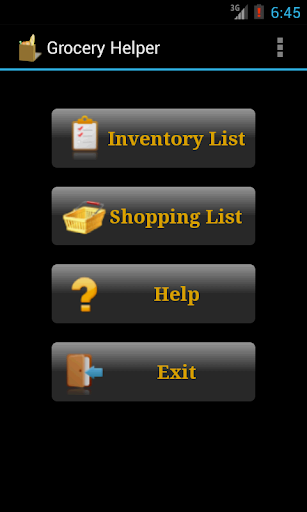
Grocery Helper helps you easily manage your groceries and shopping list. Key features include:
* Pre-loaded grocery lists include hundreds of common items. You can easily customize them to your needs
* Inventory level icons give you visualized indication of how much each item is left
* Doing inventory is so simple. You just click on the icon and choose the level from a popup
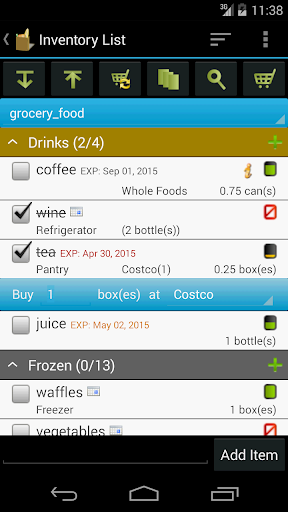
* Generate/update shopping list from inventory list by one click
* Update inventory lists from shopping list after you are done shopping
* Mass change allows you to edit multiple items quickly (full version only)
* Group by location or store to make checking inventory and shopping easier
***Upgrade from Lite to Full app:
When you upgrade from lite to full, you can use the "Backup and Restore" feature to migrate your data.
To backup your lists, open the lite app and click on "Menu"->"Backup and Restore"->"Backup" in Routine View. Then click on "Backup" to use the default folder or "Select Folder" to choose different location.
Then open the full version, click on "Menu"->"Backup and Restore"->"Restore". It will open default backup location. Choose the folder which contains backup files and click on "Restore". If you have chosen different backup location, then navigate to that location and click on "Restore".