RemoteTV - Universal Control

RemoteTV - Universal Control Summary
RemoteTV - Universal Control is a ad-supported, with in-app purchases Android app in Tools by duong huynh. Released in Nov 2024 (1 year ago). It has about 73.7K+ installs and 111 ratings with a 4.11★ (good) average. Based on AppGoblin estimates, it reaches roughly 4.7K monthly active users and generates around $<10K monthly revenue (42% IAP / 58% ads). Store metadata: updated Nov 28, 2025, version 123.
Recent activity: 1.5K installs this week (1.6K over 4 weeks) showing above average growth , and 1.00 new ratings this week View trends →
Data tracking: SDKs and third-party integrations were last analyzed on Sep 4, 2025. The app's network data flows (API traffic to/from the app and its SDKs) were last crawled on Jan 7, 2026.
Store info: Last updated on Google Play on Nov 28, 2025 (version 123).
RemoteTV - Universal Control was last scanned for SDKs 2025-09-04. Below is the overview of third party companies detected in the app. The full list of raw SDKs, app permissions and unknown SDKs is available here.
 InMobi
 OpenTelemetry
 Facebook
 Google
 Airbnb Engineering
 Jake Wharton
 Square
 Adjust
 AdMob
AdMob Firebase
4.11★
Ratings: 111
Screenshots
App Description
Universal Remote Control for All TV Brands - Adjust volume, switch channels ...
RemoteTV - Universal Control: The Ultimate Remote Control App for TV! 📱📺
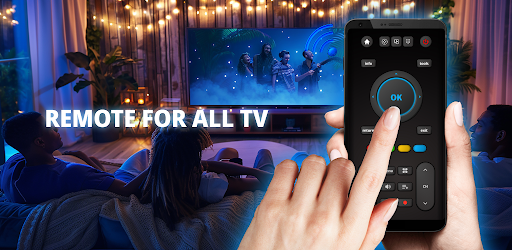
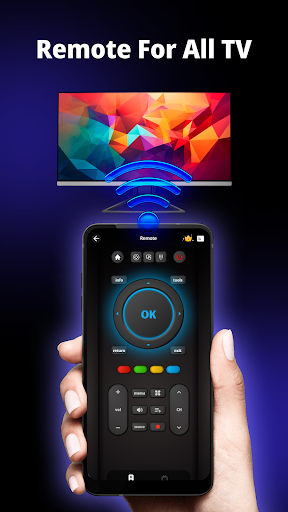
Say goodbye to searching for lost remotes and dealing with dead batteries. RemoteTV - Universal Control transforms your phone into the ultimate smart TV remote, allowing you to control all your favorite TV brands and devices seamlessly. Whether you have a smart TV or an older model, this app has you covered with a simple, intuitive interface.
KEY FEATURES:
📺 Universal Compatibility : Works with most TV brands including Samsung, LG, Sony, TCL, Panasonic, Vizio, Philips, Toshiba, Hisense,...
📱Control TV Functions with Ease : Adjust volume, change channels, navigate menus, and access smart TV features effortlessly.
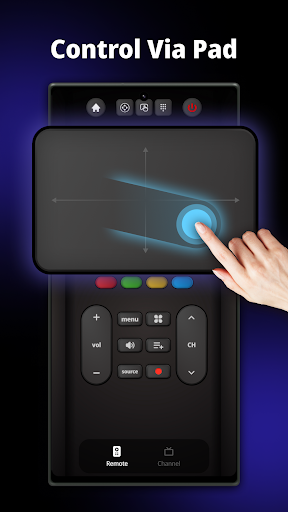
🌟 Touchpad & Keyboard : Use your phone as a touchpad or keyboard for easy navigation and text input on your smart TV.
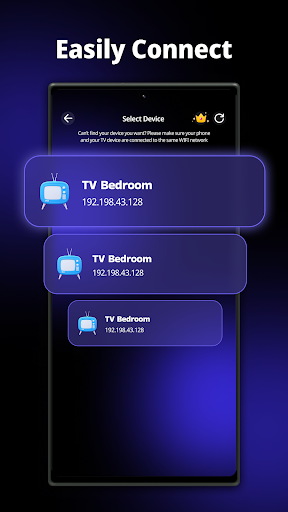
⚡Quick Setup: Connect to your TV with a simple Wi-Fi setup—no additional hardware required.
WHY CHOOSE REMOTE TV - UNIVERSAL CONTROL?
📱No More Lost Remotes: Your phone becomes the all-in-one remote, eliminating the need for extra remotes or batteries.
🔄Compatible with Smart & Older TVs: Whether you own the latest smart TV or an older model, RemoteTV is designed to work with a wide variety of TV brands.
👌User-Friendly Interface: Enjoy an easy-to-use, sleek design that makes controlling your TV a breeze.
⏳Save Time and Energy: Control everything from one app without the hassle of searching for a physical remote or replacing batteries.
HOW TO USE?
1. Ensure Your Devices Are Connected: Turn off any VPNs and make sure your phone and TV are connected to the same Wifi network.
2. Connect Your Phone to the TV: Open the app and tap the icon in the top-right corner of the screen to connect your phone to the TV. You may need to enter a pairing code that appears on your TV screen.
3. Control Your TV: Use your phone to control the TV with ease—touchpad, numeric buttons, menu buttons, and more.
✍️ TV REMOTE CONTROL FOR SMART TV - SUPPORTED TV BRANDS:
☑ Smart TV remote control for Samsung TV
☑ Universal TV remote control for Sony TV
☑ Smart TV remote for TCL TV
☑ TV remote control for LG TV
☑ TV remote control for Android box and many more!
☑ Smart TV remote for Panasonic TV
☑ Universal TV remote for Vizio TV
☑ TV remote control for Hisense TV
☑ Universal TV remote for Philips TV
☑ Smar