Fruits Draw Step by Step


Fruits Draw Step by Step Summary
Fruits Draw Step by Step is a ad-supported Android app in Education by HD Technolabs. Released in Aug 2020 (5 years ago). It has about 75.8K+ installs and 99 ratings . Based on AppGoblin estimates, it reaches roughly 618 monthly active users and generates around $<10K monthly revenue (0% IAP / 100% ads). Store metadata: updated Dec 4, 2025.
Recent activity: 66 installs this week (461 over 4 weeks) showing declining growth View trends →
Store info: Last updated on Google Play on Dec 4, 2025 .
0★
Ratings: 99
Screenshots


App Description
Draw fruits easily by following our drawing steps.
If you face difficulty in drawing and you are not able to draw things properly, then don’t worry this app is there to help you.
Here we teach drawing in such a manner that even beginners can make good drawings easily.
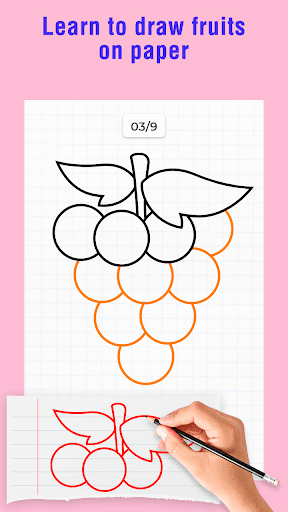
Our drawing tutorials will teach you how to draw fruits and, they are designed in a step by step format. There is no time limit here and the tutorials will move according to your speed.
Fruits Draw Step by Step app provides you two types of drawing modes: on-paper and on-screen mode. If you select the on-paper mode then you have to draw on a sheet of paper using a pencil, and if you go for on-screen mode then you have to draw in the app.
In on-screen mode, you will get in-built drawing tools using them you will be able to draw freely, and you can also save your drawings and share it with others.
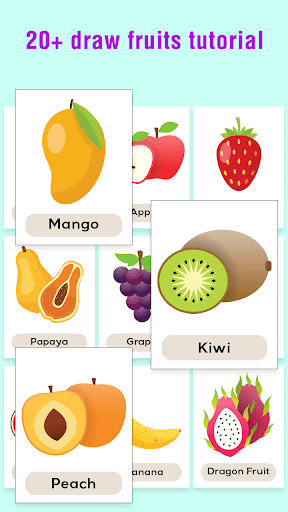
We have tutorials for following fruits:
- Mango 🥭
- Apple 🍎
- Banana 🍌
- Strawberry 🍓
- Papaya
- Watermelon 🍉
- Dragon Fruit
- Kiwi 🥝
- Orange 🍊
- Grapes 🍇
- Pear 🍐
- Cherry 🍒
- Avocado
- Pineapple 🍍
- Pomegranate
- Durian
- Lemon 🍋
- Palm
- Peach 🍑
- Apricot
Watch our tutorials and learn to draw fruits in a simple way.