Duplila - Mirror Screen


Duplila - Mirror Screen Summary
Duplila - Mirror Screen is a ad-supported, with in-app purchases Android app in Tools by Roman Sisik. Released in Mar 2023 (3 years ago). It has about 54.8K+ installs and 207 ratings with a 3.76★ (average) average. Based on AppGoblin estimates, it reaches roughly 4K monthly active users and generates around $<10K monthly revenue (51% IAP / 49% ads). Store metadata: updated Apr 16, 2026.
Recent activity: 651 installs this week (3.2K over 4 weeks) showing steady growth , and 1.00 new ratings this week View trends →
Store info: Last updated on Google Play on Apr 16, 2026 .
3.76★
Ratings: 207
Screenshots


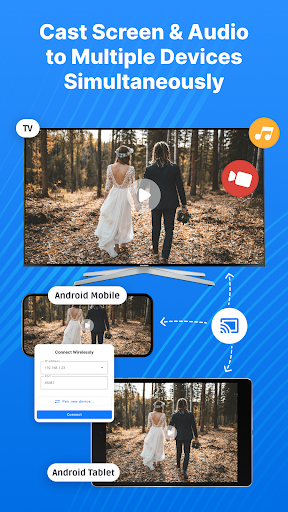
App Description
Tool for duplicating & mirroring screen between Android devices trough ADB
Duplila allows you to duplicate or share screen between Android devices through the ADB protocol. ADB protocol allows mirroring through USB cable or WiFi.
Setup is really easy, so don't get discouraged.
Find detailed instructions on how to use it - supports connection through WiFi, or USB OTG (so you can mirror screen remotely or through cable)
- very high resolution/quality, if target and host device support it
- low latency
- stream audio from host to target in projection mode, which can be used to stream music or youtube video sound from your phone to you Android TV (host and target device need to support opus format and target should be with Android Marshmallow or higher)
- works with some older devices (Android versions) that might not support Miracast
- can work with WearOS watch, if there's some compatible resolution supported
For this app to work, you need to enable developer options and establish ADB connection.
You can find more detailed information about Duplila including instructions with images here - https://sisik.eu/blog/android/duplila/share-screen
How to use
1.) Enable developer options and USB debugging on your target device (https://developer.android.com/studio/debug/dev-options)
Note: On Huawei devices you might first need to turn on USB tethering before you enable USB debugging
2.) Connect the device where you've installed this app to the target device via USB OTG cable
3.) Allow the app to access USB device and make sure target device authorizes USB debugging
Note: the app captures screen and internal audio (microphone) in real-time