SimuGPS : Fake GPS Location


SimuGPS : Fake GPS Location Summary
SimuGPS : Fake GPS Location is a ad-supported Android app in Tools by DB Groups. Released in Feb 2025 (1 year ago). It has about 729+ installs Based on AppGoblin estimates, it reaches roughly 49 monthly active users and generates around $<10K monthly revenue (0% IAP / 100% ads). Store metadata: updated Aug 21, 2025.
Recent activity: 5.00 installs this week (25 over 4 weeks) showing below average growth View trends →
Store info: Last updated on Google Play on Aug 21, 2025 .
0★
Ratings: 0
Screenshots

App Description
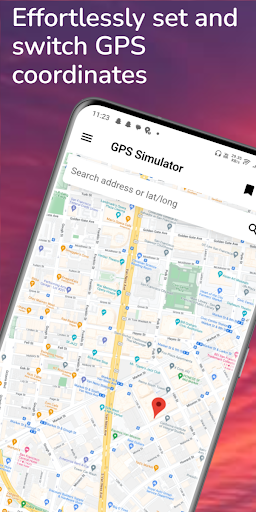
Fake your location effortlessly with SimuGPS : GPS Emulator
🛠️ Fake GPS - Mock Location for Developers & Testers 🛠️
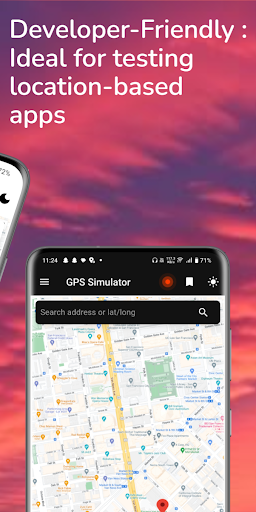
SimuGPS is a location spoofer designed exclusively for developers, testers, and QA professionals to simulate GPS locations for app development and debugging. Whether you're testing location-based applications, verifying geofencing, or conducting GPS simulation, this tool helps you set and control mock locations effortlessly.
🚫 This app is NOT intended for cheating in games, bypassing app restrictions, or any unethical use. It is strictly for testing and development purposes. 🚫
🔹 Key Features for Developers & Testers:
✅ Mock GPS for Testing – Set a fake location anywhere in the world.
✅ GPS Emulator – Simulate movement and travel between locations.
✅ Location Changer for Debugging – Easily switch between different locations.
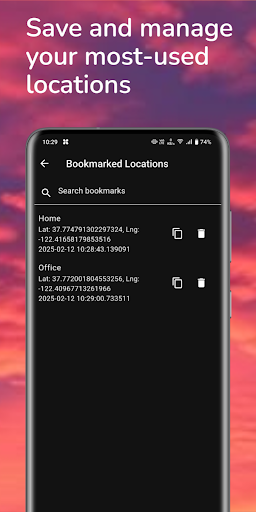
✅ GPS Simulator with Favorites & History – Save frequently used locations.
✅ No Root Required – Works on most Android devices without modifications.
✅ Ideal for developers working with maps, navigation, and location-based services.
🛠️ How to Use Fake GPS for Testing:
1️⃣ Enable Developer Options on your device.
2️⃣ Select Fake GPS as the Mock Location App in Developer Settings.
3️⃣ Open the app, choose a test location, and start GPS simulation.
4️⃣ Your device will now report the selected location for testing purposes.
🎯 Who Can Benefit from Fake GPS?
✔️ App Developers – Test how apps respond to different locations.
✔️ QA Engineers & Testers – Debug geolocation-based applications.
✔️ Navigation & Map Developers – Verify geofencing and routing accuracy.
✔️ Privacy-Conscious Users – Safely test location services without exposing real coordinates.
📢 **Note:** This app is strictly for **legal and ethical use by developers and testers**. Misuse, such as gaming cheats or bypassing location-based restrictions, is not supported.