Air Sens Mouse LITE


Air Sens Mouse LITE Summary
Air Sens Mouse LITE is a free, ad-supported, with in-app purchases Android app in Productivity by E7 Company. Released in Nov 2015 (10 years ago). It has about 42K+ installs Based on AppGoblin estimates, it reaches roughly 81 monthly active users and generates around $<10K monthly revenue (27% IAP / 73% ads). Store last updated Nov 27, 2017
Air Sens Mouse LITE SDKs Summary
App not yet scanned for SDKs.
0★
Ratings: 0
Screenshots


App Description
USE YOUR MOBILE AS AN MOUSE VIA BLUETOOTH AND WI-FI
Use your smartphone as a mouse via Bluetooth and Wi-Fi.
[ Supported PC OS ]
* Windows XP / Vista / 7 / 8 /10 (32bit/64bit), Mac and Linux
[ News ]
* Bluetooth and Wi-Fi connection.
* Very simple and fast.
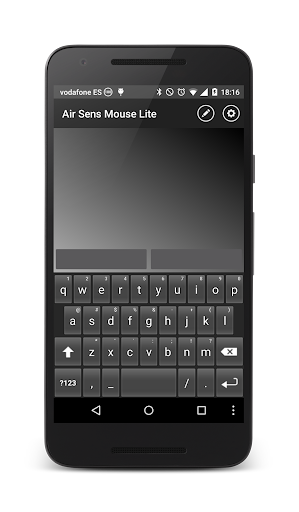
* Traditional mouse or laptop touchpad, touch your smartphone and move the mouse cursor.
[ How to use ]
* You only need a laptop or computer with Bluetooth or Wi-Fi adapter to connect your smartphone and use it as a mouse.
* Very easy to connect, install the driver or server in your computer (VERY IMPORTANT):
http://e7company.x10host.com/ASM-Server.jar
(REQUIREMENT TO RUN SERVER: Java SE Runtime Environment - http://www.java.com/en/download/manual.jsp)
If you don't have Java in your computer you can try this file for Windows:
http://e7company.x10host.com/ASM-Server.exe
You only need to run it, refresh the app list, select your device or IP and begin to use it.
[ Features ]
- Simple and fast Bluetooth and Wi-Fi device selection.
- Pad Mouse.
- Left and right mouse buttons with animation (You can press the buttons on the screen or press [+] (plus) and [-] (minus) volume buttons on your smartphone).
- Scroll wheel option (2 fingers to Pad Mouse, and drag finger in wheel image to Air Mouse).
- Vibration function.
- Writing option to use alphanumeric keyboard (available in Windows).
- Assign Sensitivity value.
- Assign Acceleration value.
- The “Server Tray Icon” appears on the menu bar of your server app to see your IP.
- Preview list of paired devices.
[ Purchase Features]
- Air Mouse, a new option that uses the mobile phone acceleration and gyroscope sensors to move the cursor following your smartphone’s movement (Like a Wii controller).
- Remove Ads.
[ Upcoming Features ]
- File explorer for PC
- Add direct access to files.
Thanks for using this app, send your comments to:
e7company@gmail.com