Easy English Voice Keyboard

Easy English Voice Keyboard Summary
Easy English Voice Keyboard is a ad-supported, with in-app purchases Android app in Personalization by Translator Kingdom. Released in Mar 2022 (4 years ago). It has about 1.6M+ installs and 3.8K ratings with a 4.19★ (good) average. Based on AppGoblin estimates, it reaches roughly 13.1K monthly active users and generates around $<10K monthly revenue (39% IAP / 61% ads). Store metadata: updated Mar 10, 2026.
Recent activity: 1.1K installs this week (4.4K over 4 weeks) showing declining growth , and 9.00 new ratings this week View trends →
Store info: Last updated on Google Play on Mar 10, 2026 .
4.19★
Ratings: 3.8K
Screenshots


App Description
Fast English voice typing keyboard is easy Speech to text converter tool
Easy English voice Keyboard is an English speaking keyboard app that makes voice typing faster than ever before. It has removed the hassle to type long text messages, rather you can use voice typing feature of this Easy English keyboard by taping the mic to speak & get text instantly in front of you and yes there is no need to type with hands, just speak English and keyboard service will automatically share your message as text.
English speech to text keyboard helps to type easily when you are driving and you cannot type then this English speaking app will assist you to write what you are saying in mic. You can set it as your default keyboard. This Fast voice typing keyboard has numeric keypad for the user to use it easily without any problem.
Features of Easy English Voice Keyboard:
👉 Voice typing in English to get English letters
👉 Quick voice recognition
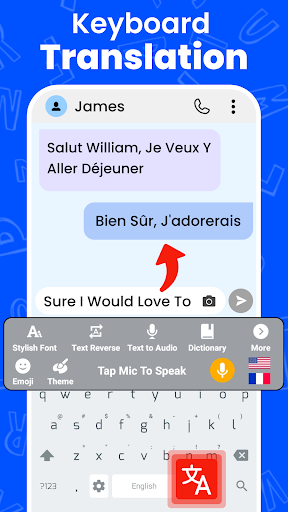
👉 Translator Keyboard also provides English to any language translator.
👉 Apply Themes on keyboard background
👉 Works inside all apps on your phone
👉 Saves time compared to handwriting input
👉 Fastest voice typing keyboard because it lets you type by your voice.
👉 Neat and clean display of English keys.
👉 Beautiful keyboard layout with emoji’s and stylish Themes.
How to use English voice typing keyboard:
1. After enabling the keyboard, open any messaging app and just start using
2. On single tap microphone will start recording your voice
3. You can now start speaking in English and it will convert your voice into text
4. You can also type with keys using English keypad.
5. Enjoy using English speaking keyboard as it is free.
🔰 Text Changer
Text changer immediately changes the text in two different forms. Either you can reverse your text or Flip your written text. This is something different we brought for our users so they don’t get bored while using the application
🔰 Voice Dictionary
Search any word in English voice dictionary by speaking in mic to get the meaning, definition and synonym of a particular word. You can further copy, share the results with friends.
🔰 Text to Audio file
This is a unique feature that lets you convert your written text in audio file and you can share that audio with anyone. Get translation of sentences in any language and the feature will conv