Colorbit Icon Pack


Colorbit Icon Pack Summary
Colorbit Icon Pack is a mobile Android app in Personalization by Edzon Diaz. Released in Jan 2023 (3 years ago). It has about 1.6K+ installs and 67 ratings with a 4.83★ (excellent) average. Based on AppGoblin estimates, it reaches roughly 22 monthly active users . Store metadata: updated May 17, 2026.
Recent activity: 8.00 installs this week (24 over 4 weeks) showing steady growth View trends →
Store info: Last updated on Google Play on May 17, 2026 .
4.83★
Ratings: 67
Screenshots


App Description
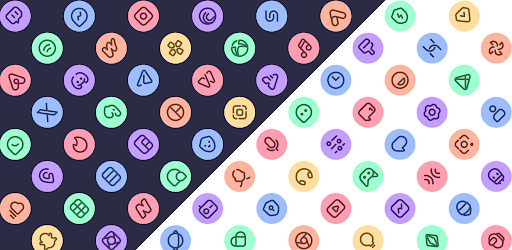
Colorful, minimalist icons inspired by Material You
Transform your Android with Colorbit, an icon pack inspired by Material You that combines colorful, minimalist, and modern design. Ideal for those looking for a fresh, vibrant, and elegant home screen.
Features:
★ 4900+ Colorful icons
★ 30 Wallpapers
★ Dynamic calendar icons
★ Support for many launchers
★ Frequent updates with new icons
How to apply these icons?
1. Install a compatible launcher
2. Open Colorbit Icon Pack, go to the Apply section, and select your launcher
Compatible Launchers:
Smart Launcher, Nova Launcher, Lawnchair, Action Launcher, Apex Launcher, Flick Launcher, GO Launcher, Hyperion Launcher, Lucid Launcher, Microsoft Launcher, Mint Launcher, Niagara Launcher, Pie Launcher
(These launchers have been tested and are fully compatible, may also work with other unlisted launchers)
How to apply on Samsung phones?
1. Download Good Lock (Theme Park) from Galaxy Store
2. Open Theme Park and select Icon > Create New
3. Choose Colorbit, assign a name, and save
4. Select the pack and tap Apply
Contact
If you have questions or suggestions, contact me at edzon.dm@gmail.com