AndroDOC editor for Doc & Word

AndroDOC editor for Doc & Word Summary
AndroDOC editor for Doc & Word is a mobile Android app in Productivity by OffiDocs Mobile Apps. Released in Jan 2017 (9 years ago). It has about 3.7M+ installs and 6.6K ratings with a 2.36★ (poor) average. Based on AppGoblin estimates, it reaches roughly 185.6K monthly active users . Store metadata: updated May 16, 2025.
Recent activity: 62.6K installs this week (125.6K over 4 weeks) showing exceptional growth View trends →
Store info: Last updated on Google Play on May 16, 2025 .
2.36★
Ratings: 6.6K
Screenshots

App Description
Editor for Word documents that supports LibreOffice and Microsoft formats.
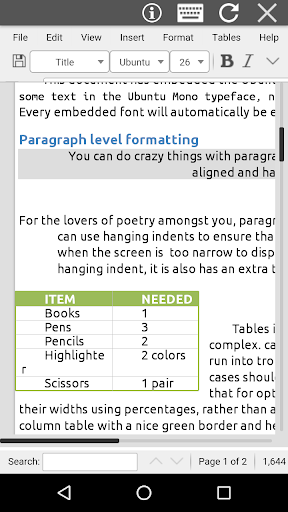
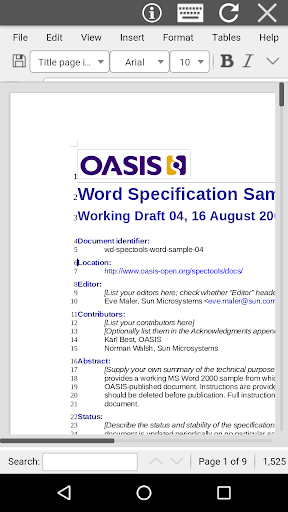
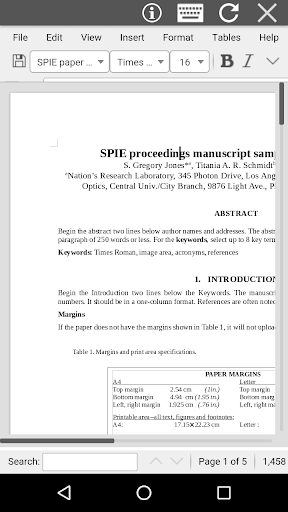
AndroDOC is an app to edit Word documents that you will be able to create, modify and share. AndroDOC combines the functionality of an android file manager with the open source office software for editing Word documents, LibreOffice. It contains two main modules:
* The DOC & DOCX module, which provides the following functionality:
- Create WORD documents in different formats.
- Edit WORD documents from OpenOffice, LibreOffice or Microsoft Excel.
- Search for texts.
- Insert images / tables / files.
- Style management: font size, font style.
- Find & replace.
- Open Source.
- Export to PDF from documents.
- Document formats supported are the OpenDocuments formats (.odt and .ott), but in addition to them AndroDOC can open the formats used by Microsoft (.doc and .docx) (see https://wiki.openoffice.org/wiki/Documentation/OOo3_User_Guides/Getting_Started/File_formats):
· Microsoft Word 6.0/95/97/2000/XP (.doc)
· Microsoft Word 2007 XML (.docx)
· Microsoft WinWord 5 (.doc)
· LibreOffice ODF text document (.odt)
· OpenOffice ODF text document (.odt)
· Rich Text Format (.rtf)
· Text and CSV (.csv and .txt)
* The file manager module, which provides the following functionality:
- Home directory when you first load the file manager.
- All operations with files and folders: copy, move, upload, create folder/file, rename, archive, extract, edit, etc.
- Bookmarks over the files or directories.
- View the file or directory properties: name, location, size, date.
- Light and Elegant client UI supporting phones and tablets.
- Grid, List and Icons views available.
- Sort by name, last modified, size or type.
- FTP access integrated.
- Image preview support
- Search for files
- Recent files
- Open Source
AndroDOC is based on the android Amaze file manager and LibreOffice Online running in our cloud servers. Its source code is open, and located in http://www.entertainmentmobileapps.com/source/androdoc