AndroWriter document editor


AndroWriter document editor Summary
AndroWriter document editor is a mobile Android app in Productivity by OffiDocs Mobile Apps. Released in Apr 2017 (8 years ago). It has about 1.4M+ installs and 2.2K ratings with a 2.25★ (poor) average. Based on AppGoblin estimates, it reaches roughly 53.7K monthly active users . Store metadata: updated May 14, 2025.
Recent activity: 50.1K installs this week (60.4K over 4 weeks) showing exceptional growth View trends →
Store info: Last updated on Google Play on May 14, 2025 .
2.25★
Ratings: 2.2K
Screenshots
App Description
Create and edit documents, reports, books, quick memos in formats .doc or .docx
AndroWriter is a word processor and publishing tool that supports different document formats, including .docx, and .doc. It allows to create and edit documents, reports, books, and it is enough for a quick memo. It contains two main modules:
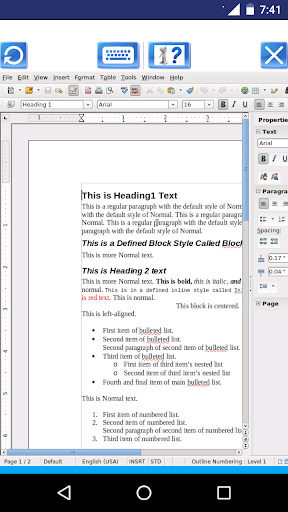
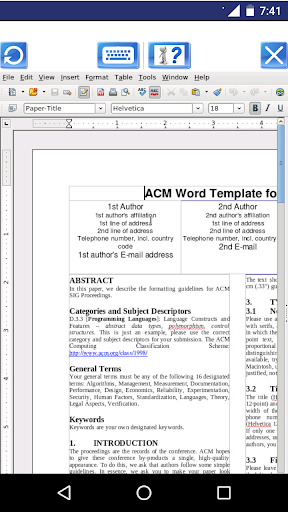
* The document editor module, which provides the following functionality:
- Wizards for standard documents such as letters, faxes, agendas, minutes, or carrying out more complex tasks such as mail merges. You can also create your own templates, or download templates from the Templates repository.
- Advanced Styles and Formatting.
- Table of Contents & References to increase the usefulness of your long, complex documents by generating a table of contents or indexing terms, bibliographical references, illustrations, tables, and other objects.
- Text frames and linking for publishing tasks like newsletters and flyers
- Notes and comments on the side of the document. This makes notes a lot easier to read.
- AutoCorrect dictionary to trap typing mistakes on the fly, checking your spelling as you type.
- AutoComplete to reduce typing effort. It also suggests common words and phrases to complete while you are typing.
- It supports OpenOffice OpenDocument formats (.odt, .ott, .oth, and .odm), but it can open the formats used by OOo 1.x (.sxw, .stw, and .sxg) and the following text document formats:
+ Microsoft Word 6.0/95/97/2000/XP (.doc and .dot)
+ Microsoft Word 2003 XML (.xml)
+ Microsoft Word 2007 XML (.docx, .docm, .dotx, .dotm)
+ Microsoft WinWord 5 (.doc)
+ WordPerfect Document (.wpd)
+ WPS 2000/Office 1.0 (.wps)
+ .rtf, .txt, and .csv
+ StarWriter formats (.sdw, .sgl, .vor)
+ DocBook (.xml)
+ Unified Office Format text (.uot, .uof)
+ Ichitaro 8/9/10/11 (.jtd and .jtt)
+ Hangul WP 97 (.hwp)
+ T602 Document (.602, .txt)
+ AportisDoc (Palm) (.pdb)
+ Pocket Word (.psw)
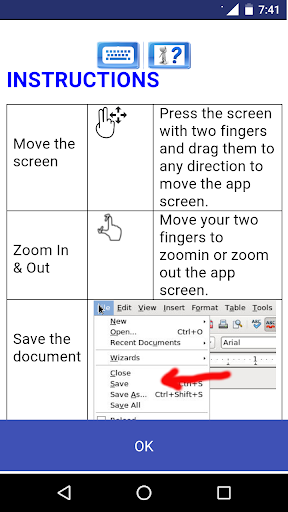
A guide about how to use this app can be found at http://www.offidocs.com. But note that the AndroWriter app has its own instructions when the document is being edited. It has several buttons for the operations:
- "Write mode", use a finger to modify the document.
- "Move mode", drag your two fingers to move the app and the document with your fingers.
- "Zoom In & Out", swipe your two fingers to zoom in or zoom out the app and document.
- "Save the document"