OneClick Word, PPT to PDF


OneClick Word, PPT to PDF Summary
OneClick Word, PPT to PDF is a ad-supported Android app in Productivity by Essential Apptech. Released in Dec 2024 (1 year ago). It has about 3.2K+ installs and 37 ratings with a 4.60★ (excellent) average. Based on AppGoblin estimates, it reaches roughly 204 monthly active users and generates around $<10K monthly revenue (0% IAP / 100% ads). Store metadata: updated Oct 29, 2025.
Recent activity: 10 installs this week (75 over 4 weeks) showing below average growth View trends →
Store info: Last updated on Google Play on Oct 29, 2025 .
4.6★
Ratings: 37
Screenshots


App Description
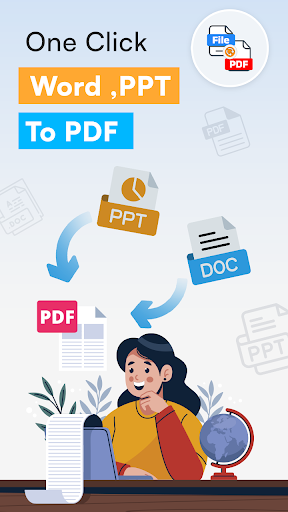
Convert Word & PPT to PDF instantly. Fast, offline & easy document converter.
📄 OneClick Word, PPT to PDF – Fast & Easy Document Converter
Convert Word and PowerPoint files to professional-quality PDFs in seconds with OneClick Word, PPT to PDF – your all-in-one PDF converter and document management app. Whether you're a student, business professional, or everyday user, this app simplifies your workflow and helps you stay productive anywhere, anytime.
No more compatibility issues or layout changes. With OneClick, you get high-speed, offline conversions in just one tap. Perfect for school assignments, business reports, and personal files.
🚀 Why Choose OneClick Word, PPT to PDF?
✔ Lightning-fast file conversion
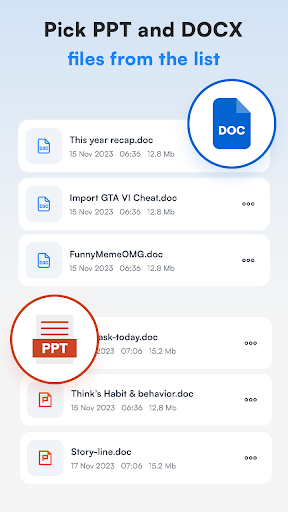
Convert DOC, DOCX, PPT, PPTX into PDF instantly with one click.
✔ Word to PDF Converter
Create PDF files from Microsoft Word documents with perfect formatting.
✔ PPT to PDF Converter
Easily turn PowerPoint slides into clean, ready-to-share PDF files.
✔ Built-in Document Viewer
Preview DOC, PPT, and PDF files before and after conversion – no third-party apps needed.
✔ Offline PDF Converter
No internet required. Convert files securely without uploading to servers.
✔ Easy File Organization
Use Favorites, Recent files, and Custom Labels to keep documents neatly sorted.
✔ Rename & Share Easily
Rename files instantly and share PDFs via email, social apps, or cloud platforms.
🔑 Key Features at a Glance:
✅ DOC & DOCX to PDF – Accurate Word to PDF conversion
✅ PPT & PPTX to PDF – Reliable PowerPoint to PDF conversion
✅ View Documents – Built-in readers for Word, PowerPoint, and PDF
✅ Offline Mode – Convert without internet access
✅ Recent Files – Quick access to your latest work
✅ Favorite Files – Save important files for instant access
✅ Custom Labels – Organize documents your way
✅ Rename Files – Easily manage file names
✅ One-Tap Share – Send PDFs via any platform
🌟 Perfect For:
Students converting assignments or notes to PDFs
Professionals sharing resumes, presentations, or reports
Anyone needing a quick PDF maker from Word or PowerPoint
🛠 Supported File Types:
.DOC, .DOCX (Word)
.PPT, .PPTX (PowerPoint)
.PDF (View only)
📱 All-in-One Office Tool
OneClick is more than just a converter — it’s your mobile office companion. Manage files, convert on the go, and stay organized —