ezClocker Kiosk Time Clock

ezClocker Kiosk Time Clock Summary
ezClocker Kiosk Time Clock is a mobile Android app in Business by ezNova Technologies DBA ezClocker. Released in Apr 2021 (5 years ago). It has about 1.1K+ installs and 18 ratings with a 4.94★ (excellent) average. Based on AppGoblin estimates, it reaches roughly 100 monthly active users . Store metadata: updated Mar 9, 2026.
Recent activity: 6.00 installs this week (20 over 4 weeks) showing steady growth View trends →
Store info: Last updated on Google Play on Mar 9, 2026 .
4.94★
Ratings: 18
Screenshots
App Description
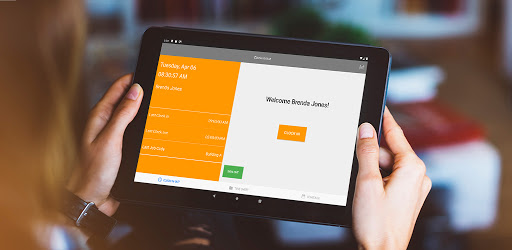
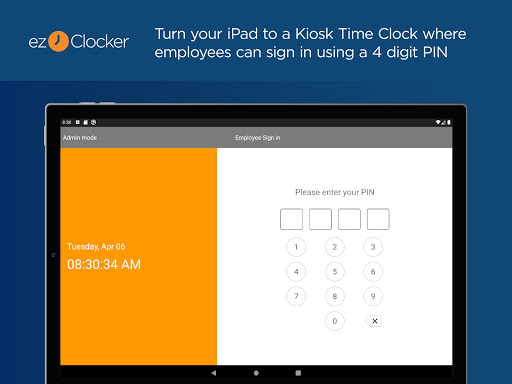
Transform your tablet to a time tracking device where all employees can clock in
We are proud to offer our Kiosk app where employees can use one device to clock in/out.
Please note: this app requires an ezClocker account and is built for employers and their employees who need a simple way to keep track of hours and shift schedules.
This app is ideal for anyone who has office employees or contractors working in a central location. If you have a combination of remote and office employees then you can use the Kiosk app for the office and the remote employees can use our mobile apps with GPS verification.
Provide your employees with a punch in clock right on the tablet device. Manage your time entries through the ezClocker website, and export your employee's time data for payroll. Simple to understand and convenient to use.
ezClocker enables you to spend more time focused on your business and customers and less time fighting and managing a time tracking system.
The top 3 reasons our customers love ezClocker:
1. Affordable.
2. Easy to use.
3. The GPS map feature.
General Features:
- Add employees and assign them a PIN.
- Using a 4 digit PIN number employees can sign into the app and clock in/out, enter notes, view their timesheet and schedule.
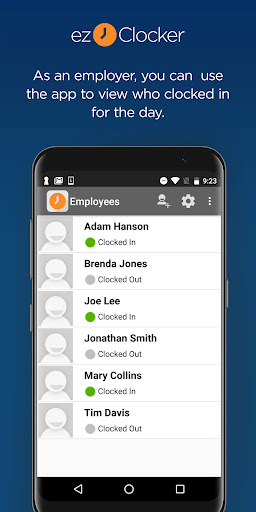
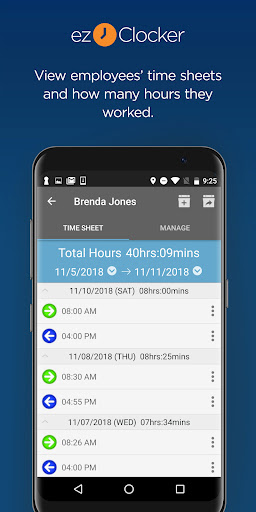
-The app has an admin mode where the employer can view employees' data. E.g., who's clocked in, timesheets, create schedules, and email timesheets.
- The app also comes with a built in GPS map to view the clock in location so you can verify if your employees have clocked in at the correct location. IMPORTANT NOTE: this app does not track your employee's movement while on the clock, it only captures the GPS location when they press the clock in or out button.
- Create schedules using the app or website and allow your employees to view their work shift using their mobile device in real time.
-Data is stored in the secure ezClocker cloud - 24/7 access to your data through the ezClocker website or mobile app for employers.
-Review/modify employee timesheets
-Export the data to a .csv/Excel file and email it to yourself or an accountant.
Please visit https://ezclocker.com/public/privacy.html to learn more about how we protect your privacy and https://ezclocker.com/public/ezclocker_terms_of_service.html for our terms of service.
DOWNLOAD EZCLOCKER TODAY – THE SIMPLE, STREAMLINED TIME MANAGEMENT TOOL!