ULTRA Digital Retro watch face

ULTRA Digital Retro watch face Summary
ULTRA Digital Retro watch face is a mobile Android app in Personalization by Facer Studios. Released in Aug 2024 (1 year ago). It has about 29.8K+ installs and 630 ratings with a 4.45★ (good) average. Based on AppGoblin estimates, it reaches roughly 1.3K monthly active users . Store metadata: updated Jan 31, 2025.
Recent activity: 814 installs this week (2.3K over 4 weeks) showing exceptional growth View trends →
Store info: Last updated on Google Play on Jan 31, 2025 .
4.45★
Ratings: 630
Screenshots
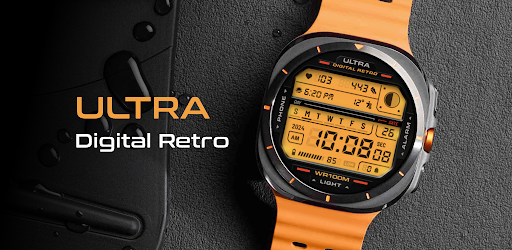
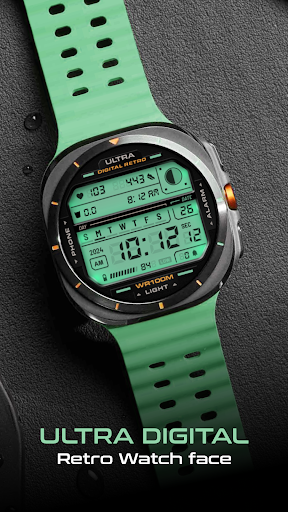
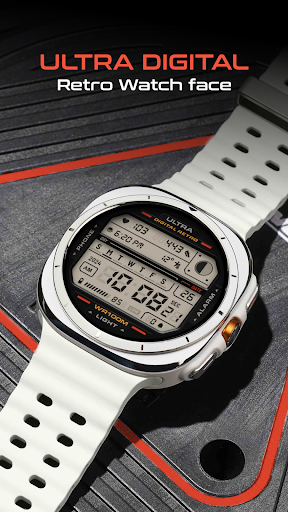
App Description
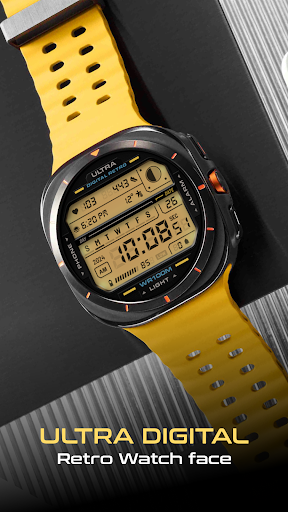
Retro digital watch face with customizable colors and a unique lighting effect
This retro digital watch face for your Wear OS smartwatch features multiple colors, a unique lighting mode, two customizable complications, and multiple app shortcuts for style and functionality.
Compatible with Samsung Galaxy Watch7, Ultra, Pixel Watch 3, and other WearOS watches supporting Google's Watch Face Format.
FEATURES:
- Lighting effect (Tap the bottom of the screen to turn on/off)
- Multiple LCD lighting colors (Choose via the color option in CUSTOMIZE)
- Customizable detail colors (Personalize through the options in CUSTOMIZE)
- 12h/24h digital clock
- Day and date
- Year
- Battery level indicator
- Step counter
- Heart rate monitor
- Moon phases
- Notification counter
- 2 customizable complications
SHORTCUTS:
- Tap on Phone to open the Phone
- Tap on Alarm to open the Alarm
FEEDBACK & TROUBLESHOOTING:
If you’re having any issues using our app & watch faces or are dissatisfied in any way, please give us a chance to fix it for you before expressing dissatisfaction through ratings.
You can send feedback directly to support@facer.io
If you are enjoying our watch faces, we always appreciate a positive review.