Binary Numeric Keypad


Binary Numeric Keypad Summary
Binary Numeric Keypad is a mobile Android app in Productivity by hosinoatusi. Released in Mar 2018 (8 years ago). It has about 4.7K+ installs Based on AppGoblin estimates, it reaches roughly 156 monthly active users . Store metadata: updated Sep 3, 2025.
Recent activity: 1.00 installs this week (2.00 over 4 weeks) showing steady growth View trends →
Store info: Last updated on Google Play on Sep 3, 2025 .
0★
Ratings: 0
Screenshots


App Description
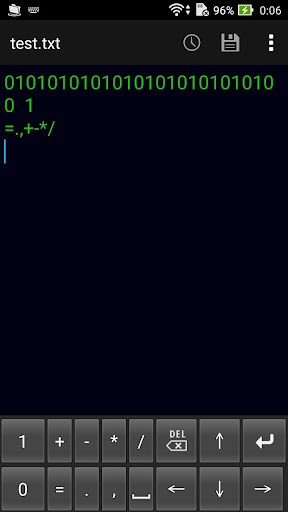
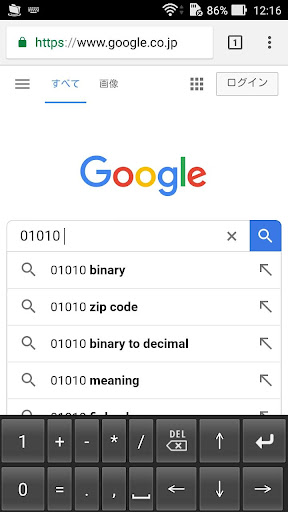
This is a soft numeric keypad which can input a binary number.
This is a soft numeric keypad which can input a binary number.
You can enter "0", "1", "+-*/=.," And a space.
Enabling Keyboards
01
Go to Settings > System > Languages & input > and tap Virtual keyboard in the Keyboard & inputs section.
02
You'll see a list of each keyboard you've installed.
Tap "Manage keyboards".
03
Toggle on the new keyboard.
You might see a warning that this input method may collect the text you type including personal information.
But this app does not collect any input content.
This is not a warning specific to this application, it will always be displayed if you select a character input application other than the keyboard that is standard on the device.
If you're satisfied with the explanation, tap OK.
Note: Instructions will vary depending on your Android OS.
Switching Keyboards
01
Launch the app you want to type in.
02
Tap to bring up the keyboard.
03
Tap the keyboard icon on the bottom right.
(On some devices this icon isn't present, in that case pull down the notification bar when a keyboard is active.)
04
Choose the keyboard from the list that pops up.