SnapText: OCR & AI Tutor


SnapText: OCR & AI Tutor Summary
SnapText: OCR & AI Tutor is a mobile Android app in Education by fjsh. Released in Apr 2026 (1 month ago). It has about 2.00+ installs Based on AppGoblin estimates, it reaches roughly 1.00 monthly active users . Store metadata: updated Apr 20, 2026.
Recent activity: 1.00 installs this week (2.00 over 4 weeks) View trends →
Store info: Last updated on Google Play on Apr 20, 2026 .
0★
Ratings: 0
Screenshots



App Description
Scan any text with your camera. AI explains, translates & summarizes everything.
Turn printed text into digital text in seconds. SnapText scans textbooks, notes, and documents with your camera, then lets you ask an AI tutor anything about what you just captured.
— Point and capture —
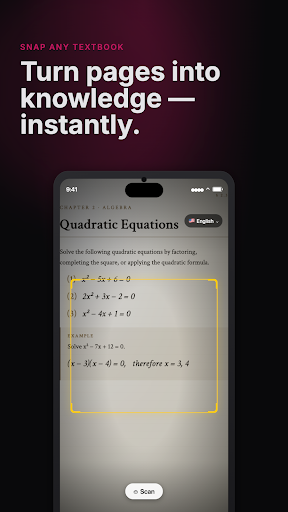
Aim at any page. A yellow frame shows what SnapText will read. Pinch to zoom, move it with two fingers. Live OCR recognizes text right inside the camera view, so you can check accuracy before saving.
— Clean results every time —
Remove noise and OCR artifacts with one tap. Use offline cleanup for privacy, or server-side cleanup for longer passages. Copy the cleaned text straight into any app.
— Ask your AI tutor —
Open a saved scan and tap "Ask AI". Get explanations, step-by-step solutions, summaries, or translations. The AI uses the full scanned text as context, so answers stay focused on what you actually captured.
— Offline OCR keeps you private —
Recognition runs entirely on your device using Google ML Kit. Your camera feed never leaves your phone. Only AI chat needs a network connection.
— Everything saved, always with you —
Every saved scan stores both the original image and recognized text. Zoom into images with pinch gestures, copy text to any app, and revisit every study session in one library.
— 24 recognition languages —
English, Japanese, Korean, Chinese (Simplified and Traditional), Arabic, German, French, Spanish, Portuguese, Italian, Russian, Dutch, Polish, Swedish, Finnish, Turkish, Indonesian, Malay, Vietnamese, Thai, and Hindi.
— Who is it for? —
• Students: Digitize lecture notes, textbook passages, and handouts instantly
• Researchers: Extract text from academic papers, books, and printed reports
• Language learners: Photograph foreign text and get instant translations and explanations
• Professionals: Convert business cards, receipts, whiteboards, and printed reports to text
• Travelers: Photograph menus, signs, and documents in unfamiliar languages
— Why SnapText? —
Unlike cloud-based OCR apps, SnapText runs text recognition entirely on your device with Google ML Kit — fast, accurate, and private. No account required to start scanning. AI explanations and translations are available with a network connection.
Download SnapText and start scanning for free. No sign-up needed.