Audio Profiles Volume Control


Audio Profiles Volume Control Summary
Audio Profiles Volume Control is a with in-app purchases Android app in Tools by FitHero, LLC. Released in Aug 2013 (12 years ago). It has about 322K+ installs and 2.7K ratings with a 3.61★ (average) average. Based on AppGoblin estimates, it reaches roughly 4.1K monthly active users and generates around $<10K monthly revenue (100% IAP / 0% ads). Store metadata: updated May 17, 2026, version 156.
Recent activity: 153 installs this week (619 over 4 weeks) showing steady growth , and 1.00 new ratings this week View trends →
Data tracking: SDKs and third-party integrations were last analyzed on May 4, 2026. The app's network data flows (API traffic to/from the app and its SDKs) were last crawled on Jun 5, 2026.
Store info: Last updated on Google Play on May 17, 2026 (version 156).
SDKs, Trackers & Permissions
Audio Profiles Volume Control was last scanned for SDKs 2026-05-04. Below is the overview of third party companies detected in the app. The full list of raw SDKs, app permissions and unknown SDKs is available here.
AppGoblin saw Audio Profiles Volume Control uses 3 Development Tools
 Google
 Kotlin
 Square
AppGoblin saw Audio Profiles Volume Control uses 1 Ad Networks
AppGoblin saw Audio Profiles Volume Control uses 2 Analytics: Product
 Amplitude
 Google Analytics
AppGoblin saw Audio Profiles Volume Control uses 1 Business Tools
 RevenueCat
App Details
App Store
Ads & App-Ads.txt
AppGoblin SDK Scans
3.61★
Ratings: 2.7K
Screenshots


App Description
Take full control of your calls, notifications and Do Not Disturb modes
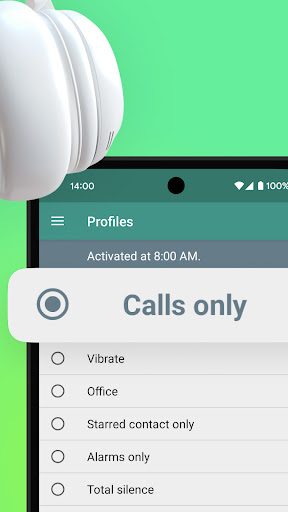
Add audio profiles / sound profile (volume, vibration and ringtones). Full control of your Do Not Disturb settings and Priority Notifications! Your Sound Manager and Volume control app.
Fully compatible with Samsung too!
--------------------------------------------
Features:
• Manage your Do Not Disturb preferences for each profile (from Android M). This includes calls, notifications, alarms, etc
• Notification widget to switch between profiles (you can deactivate it)
• Quick settings tile for switch between profiles (from Android N)
• Add schedules for each audio / sound profile
• Priority notifications for each profile: Control your apps notifications (ringtone, volume and vibration pattern). Also when the screen is off or on
• Control all your contact ringtones (or calls to voicemail) within only 1 screen
• Headphones feature (when plugged in: change profile icon, media volume and/or profile)
• Desktop widget
• Timer: Activate a profile for a certain amount (perfect for meetings, movies, gym, etc)
• Tasker plugin
--------------------------------------------
Note: The app starts in 'Preview Mode.' To access the main features, you’ll need to unlock it.