Focus Modes


Focus Modes Summary
Focus Modes is a mobile Android app in Personalization by AbdulMujeeb Aliu. Released in Apr 2026 (2 months ago). It has about 114+ installs Based on AppGoblin estimates, it reaches roughly 114 monthly active users . Store last updated May 12, 2026
Recent activity: 114 installs this week (114 over 4 weeks) View trends →
Focus Modes SDKs Summary
App not yet scanned for SDKs.
0★
Ratings: 0
Screenshots



App Description
One phone, many setups. Auto-switch by time, location, or device state.
Focus Modes: Your Phone Adapts to Your Day
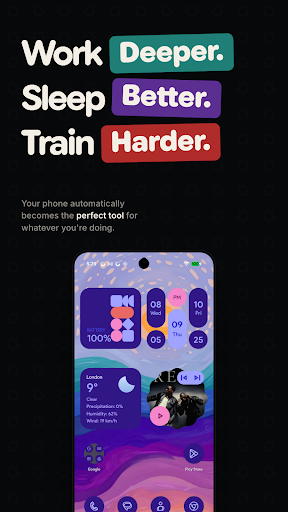
What if your phone looked completely different depending on what you were doing? Not just app blocking—your entire phone transforms. Wallpaper, apps, widgets, notifications. Everything changes based on context.
How It Works
Create modes for different parts of your life. Work mode shows only work apps. Gym mode shows fitness apps. Sleep mode hides everything distracting. Each mode is a complete environment—not a timer you ignore or a blocker you bypass.
• Work Mode: Calendar, email, docs. Instagram doesn't exist.
• Gym Mode: Spotify, fitness tracker. Slack notifications gone.
• Sleep Mode: Meditation, audiobooks. Blue light reduced. Social media vanished.
Automatic Switching
Set your triggers once. Modes switch themselves.
• Time-based: Work mode at 9am. Sleep mode at 10pm.
• Location-based: Gym mode when you arrive at the gym.
• Calendar-based: Focus mode during meetings.
• Device state: Sleep mode when phone charges at night.
Focus Tools
• App Blocking: Hide distracting apps completely. Out of sight, out of mind.
• Gentle Reminders: Open a blocked app, see a nudge. Not a wall.
• Strict Mode: Lock yourself in. No early exits until the timer ends.
• Do Not Disturb: Auto-enable per mode. No configuration needed.
Customization Per Mode
• Different wallpaper for each context
• Different apps visible on your home screen
• Custom widgets from any app—no screen recording required
• Different color themes to match your mindset
Works Your Way
Use Focus Modes alongside your current setup. Wallpaper changes, app blocking, and scheduling work automatically in the background. Want per-mode widgets and custom layouts? Set as your home screen for the full experience.
Accessibility Service (Optional)
Focus Modes can use Android's AccessibilityService for a small set of optional features:
• Detect when you open a blocked app so the app can show its blocking screen immediately
• Support the optional Double-tap to Sleep gesture
• Support the optional Open Recents gesture
Focus Modes does not use AccessibilityService for remote call audio recording.
Focus Modes does not read messages, typed text, or other personal on-screen content, and it does not collect or transmit personal data from accessibility events.
You can choose whether to enable this service, and you can disable it anytime in Android's Accessibility settings.