RoundPix: Image corner rounder


RoundPix: Image corner rounder Summary
RoundPix: Image corner rounder is a ad-supported Android app in Tools by 4ever wallpaper. Released in Jan 2025 (1 year ago). Store metadata: updated Jan 9, 2025.
Store info: Last updated on Google Play on Jan 9, 2025 .
0★
Ratings:
Screenshots

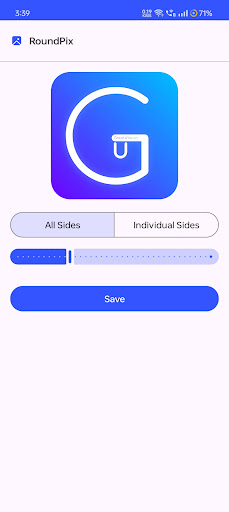
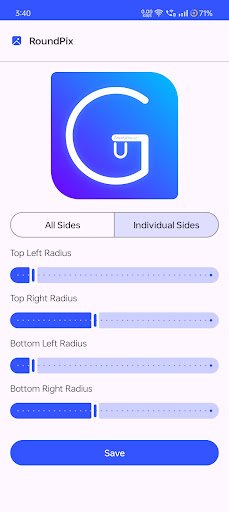
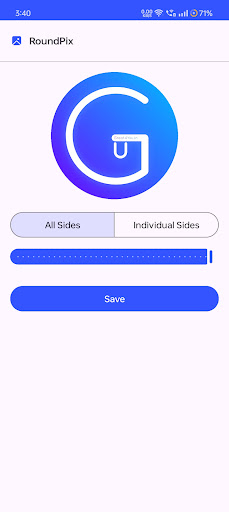
App Description
Photo corner editor to round image corners, adjust radius, and save in PNG.
RoundPix is a versatile app for rounding image corners and giving your photos, icons, or thumbnails a polished look. With customizable radius controls, this image corner rounder and editor makes it simple to create unique designs.
Key Features:
● Image Corner Rounder: Smoothly round the corners of photos, images, and icons.
● Photo Corner Editor: Adjust the radius for all corners or individually (top-right, bottom-right, top-left, bottom-left).
● Image Rounder Maker: Easily make images circular or apply a rounded effect.
● Customizable Radius: Precision tools to set and edit corner radius for stunning results.
● Save as PNG: Export your edited images in high-quality PNG format.
Why Choose Round Pix?
● Perfect for creating rounded thumbnails, icons, and profile photos.
● Lightweight and easy-to-use photo corner editor.
● Supports individual corner customization with a clean user interface.
● Ideal for any designer or casual user looking for a reliable image rounder editor.
Make Your Images Stand Out:
Transform your photos with Round Pix. Whether you want a soft rounded effect or a complete circular transformation, this app gives you the tools you need for professional-looking results.
Try Round Pix – the ultimate image corner rounder and editor – today!